How to Create AI-Powered Notifications in Mezzi
Last updated: October 29, 2026
Overview
Mezzi’s AI-powered notifications help you monitor the financial changes that matter most, beyond just stock price alerts. You can set up alerts for cash balances, portfolio allocation drift, large holdings, and specific investment themes, then have Mezzi notify you automatically when something becomes relevant.
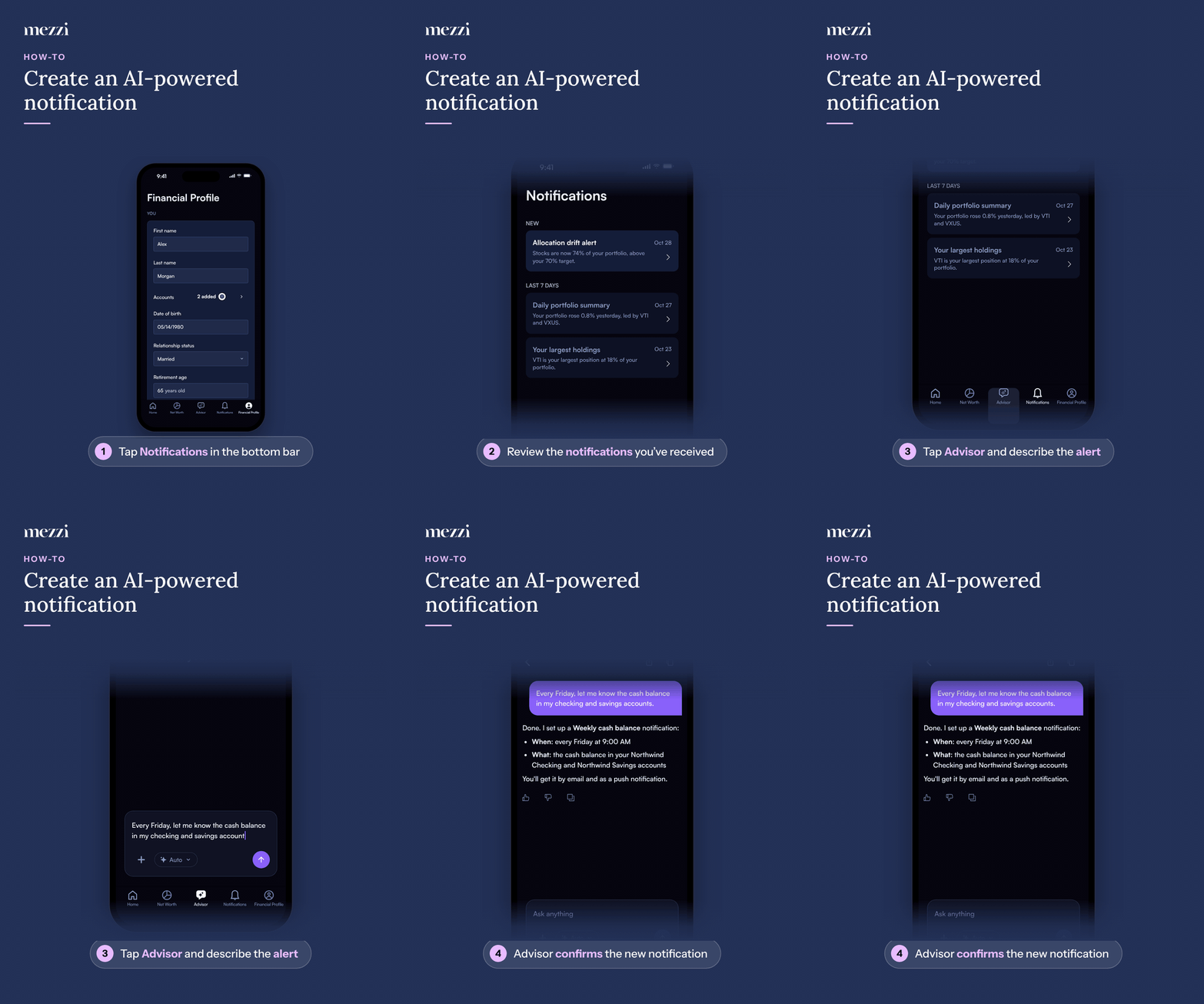
🧭 How to Create a Notification (iOS)
Tap Notifications in the bottom bar.
Review the notifications you've received. To see which notifications you've set up, ask Mezzi “What notification rules do I have?”
Tap Advisor in the bottom bar and describe what you want to monitor in plain English.
Advisor confirms the new notification, including when it runs, what it covers, and how you’ll receive it.
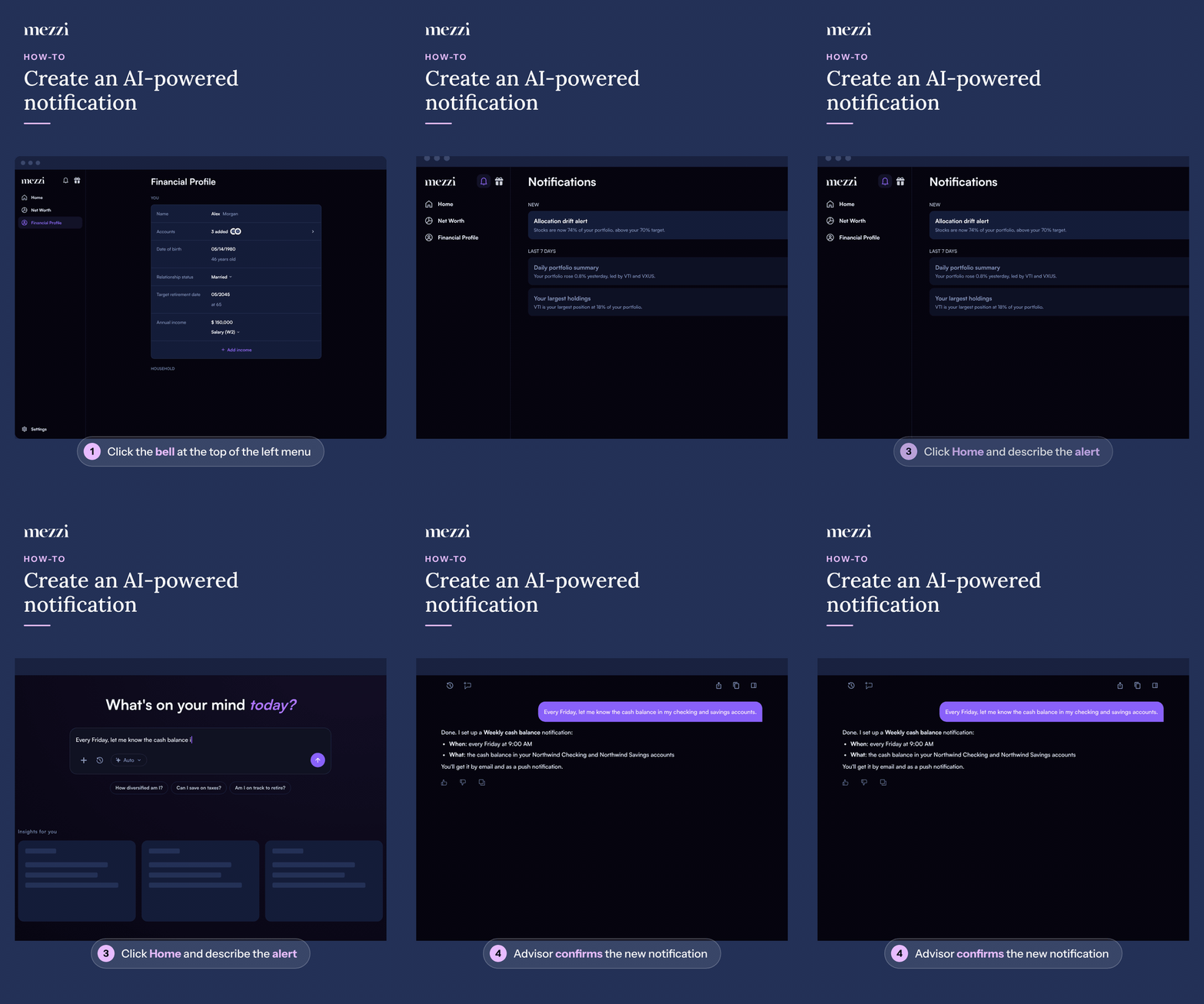
🧭 How to Create a Notification (web)
Click the bell icon at the top of the left menu to open Notifications.
Review the notifications you've received. To see which notifications you've set up, ask Mezzi “What notification rules do I have?”
Click Home in the left menu and describe what you want to monitor in plain English in the chat box.
Advisor confirms the new notification, including when it runs, what it covers, and how you’ll receive it.
For example:
“Every Friday, let me know the cash balance in my checking accounts, savings accounts, and credit card accounts.”
Mezzi will interpret your request, identify the relevant accounts, and create the notification automatically.
💡 Why This Matters
Not every important financial change is tied to a stock price. Mezzi notifications help you stay on top of the things that actually matter to your financial picture, such as:
Cash building up in your accounts
Portfolio drift from your target allocation
Changes in exposure to a specific investment theme
Daily portfolio summaries
Updates on your largest holdings
The goal is not to create more alerts — it is to surface useful information when it becomes relevant.
Important Notes
You can currently create up to five custom notifications.
Additional notifications are planned for future releases.
Notifications can currently be delivered by email and as push notifications on iPhone.
You can also manage existing notifications through Advisor by asking Mezzi to remove one.
For example:
“Remove my AI exposure monitor.”
🗨 Still Need Help?
If you run into any issues creating or managing notifications, contact help@mezzi.com and we’ll help you set them up.