What Is the Set Up Mezzi Checklist?
Last updated: November 6, 2026
Overview
The Set up Mezzi card on Home lists the steps that get Mezzi ready to give you personalized insights: Securely link assets, Complete your profile, using Mezzi on both iPhone and the web, and Invite a collaborator. Each step checks itself off when it's done, and the card goes away once all four are. Your Tax and Ideas insights unlock as soon as you've linked 2 accounts and completed your profile.
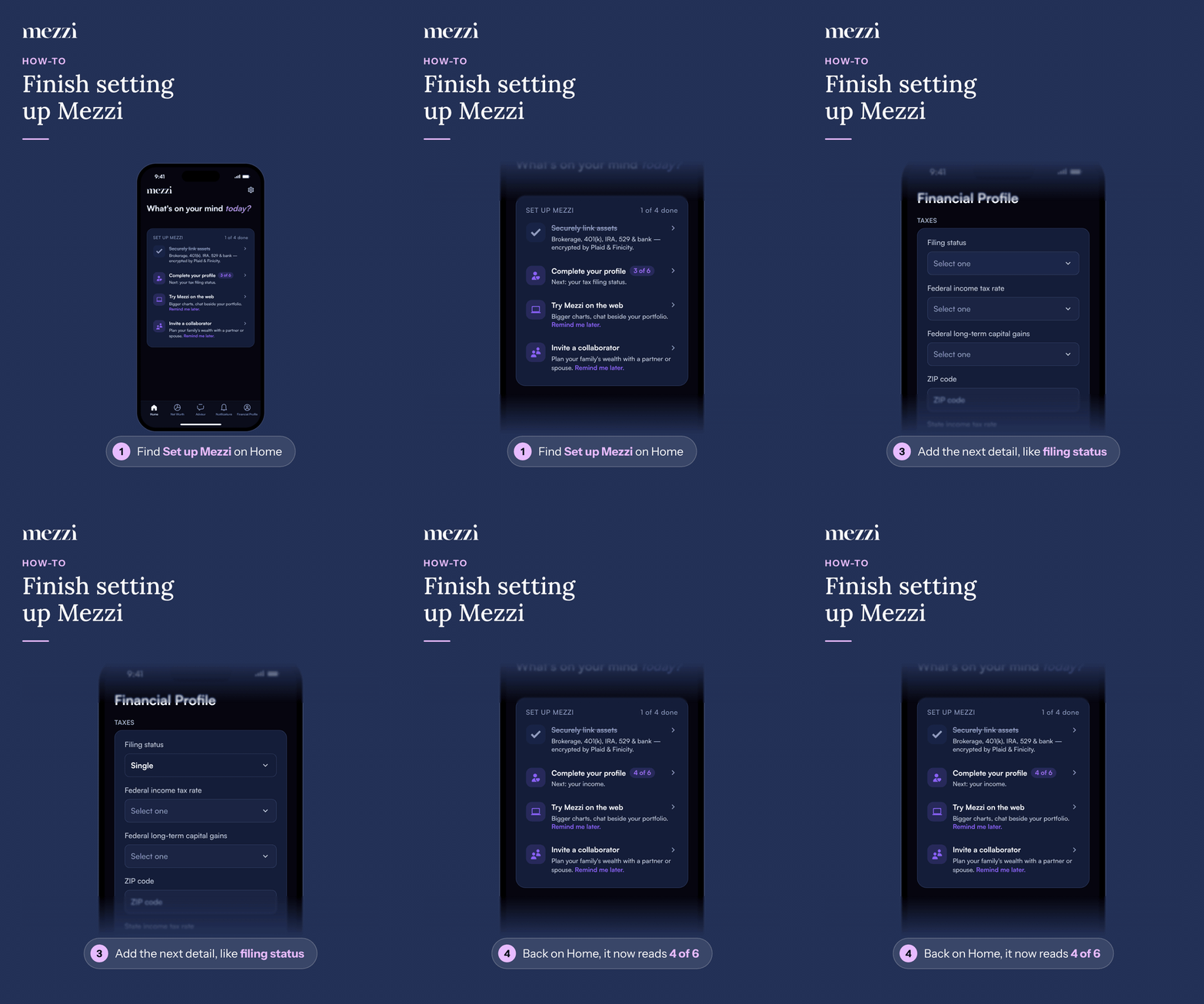
🧭 How to Use the Set Up Mezzi Card (iOS)
Tap Home and find the Set up Mezzi card.
Tap a step, like Complete your profile.
Add the detail it takes you to, like your filing status.
Back on Home, the step shows your progress, like 4 of 6.
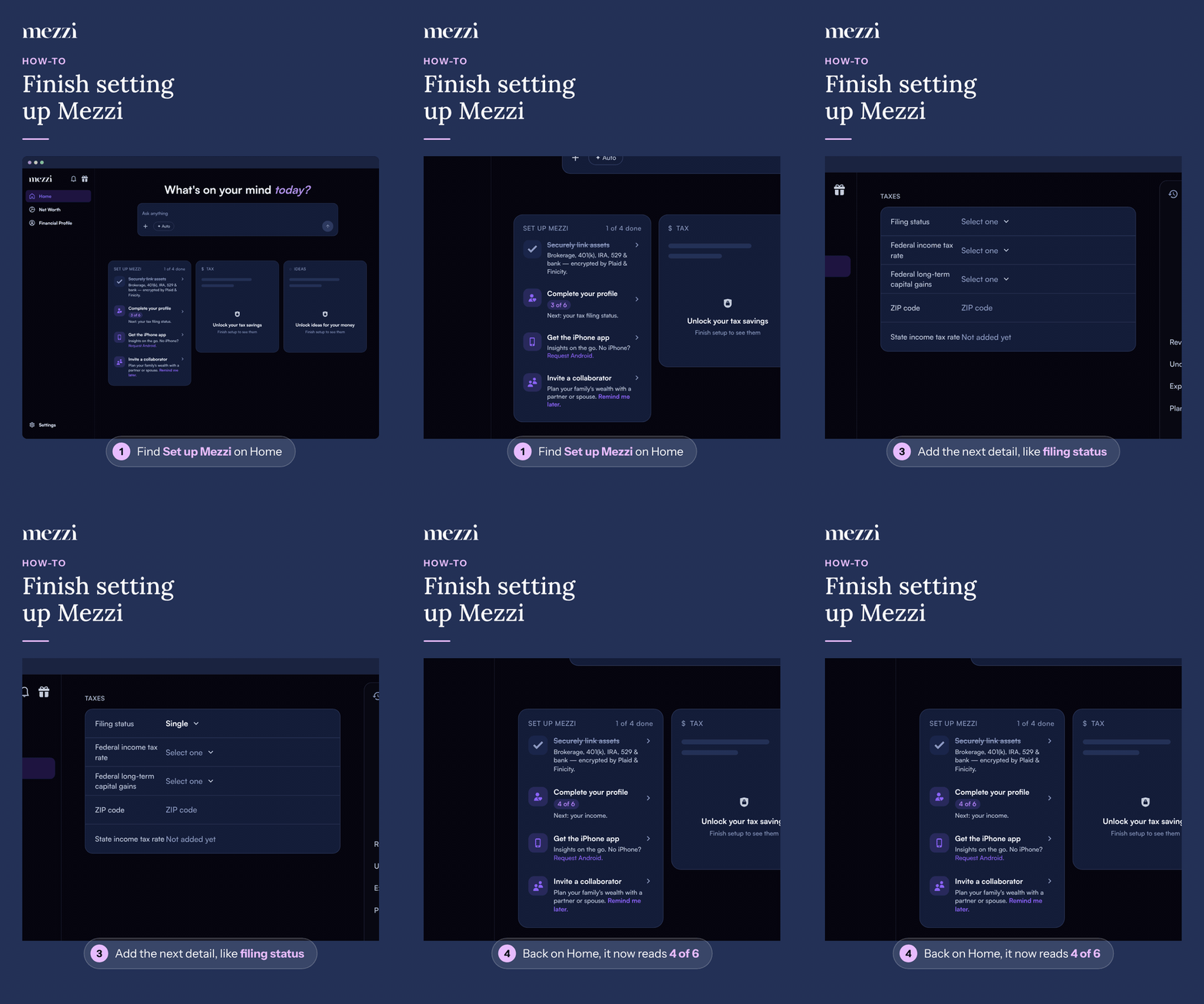
🧭 How to Use the Set Up Mezzi Card (web)
Click Home in the left menu and find the Set up Mezzi card.
Click a step, like Complete your profile.
Add the detail it takes you to, like your filing status.
Back on Home, the step shows your progress, like 4 of 6.
📌 The Four Steps
Securely link assets: checks off at 3 linked institutions. Insights unlock at 2, and from then on the step offers Remind me later. if you have nothing else to link.
Complete your profile: shows how many of 6 details you've added (for example 4 of 6) and which is next: your age, tax filing status, income, target retirement age, risk level and tax rates. Select it to go straight to the next one.
Get the iPhone app (web) or Try Mezzi on the web (iPhone): checks off once you've used Mezzi on both. On the web, choose Request Android. if you don't have an iPhone. On iPhone, Remind me later. checks it off.
Invite a collaborator: checks off once the person you invited accepts. If there's no one to invite, choose Remind me later. See How to Invite a Collaborator.
Important Notes
Remind me later. checks the step off for good; it doesn't come back.
If you'd already finished Mezzi's earlier setup steps, you won't see the card again.
🗨 Still Need Help?
Email help@mezzi.com with a screenshot of the Set up Mezzi card.