How to Reset Your Password If You Forgot It
Last updated: October 6, 2026
Overview
If you forgot your Mezzi password, tap Forgot password? on the sign-in screen, enter your email address and tap Send reset link. Open the link in the email, choose a new password and tap Set new password. This only applies to accounts that sign in with email; Apple and Google accounts don't have a Mezzi password.
🧭 How to Reset Your Password
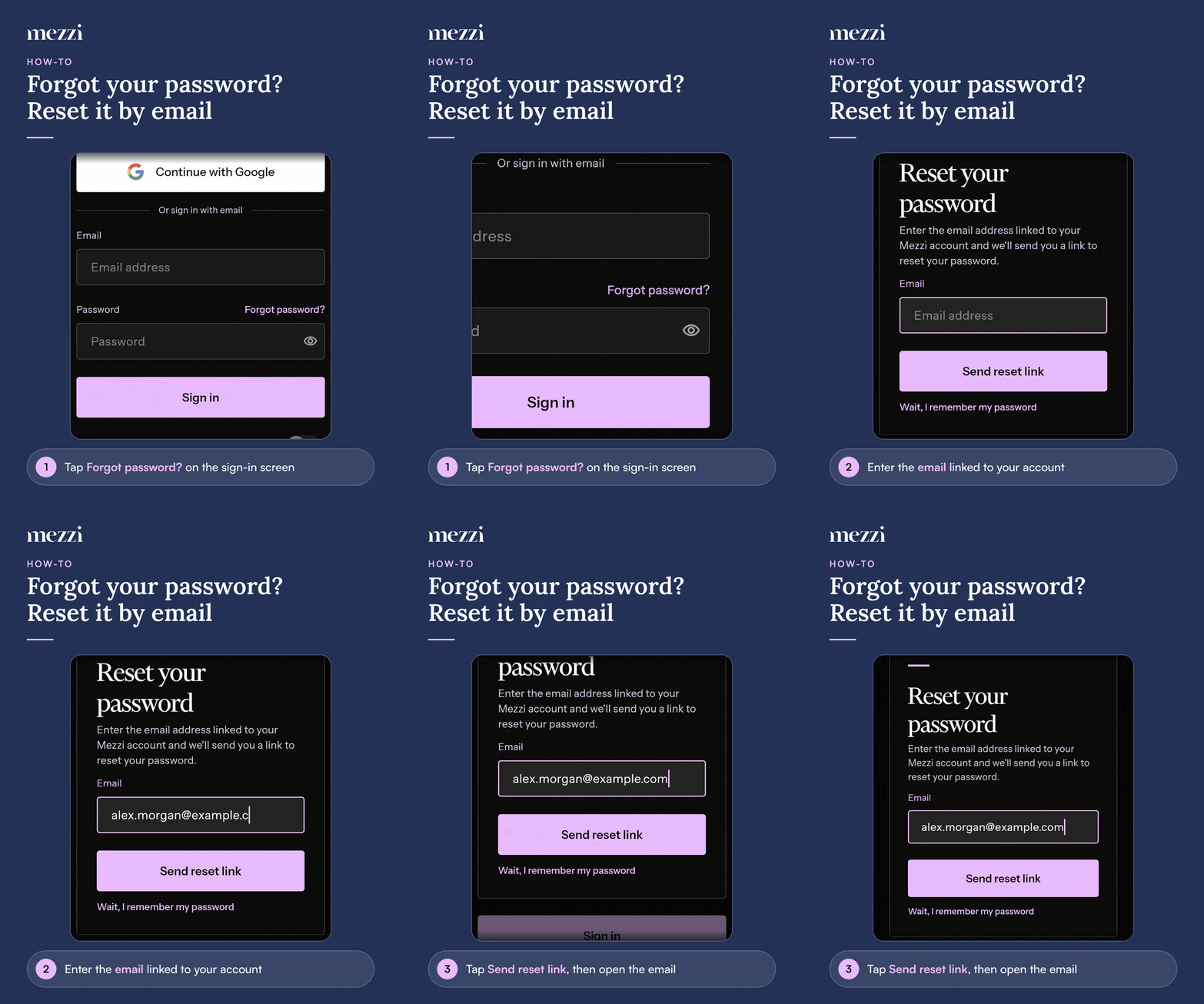
On the sign-in screen, tap Forgot password? next to the Password label.
In the Reset your password window, enter the email address linked to your Mezzi account and tap Send reset link.
Open the email from Mezzi and click the reset link.
Choose a new password (at least 8 characters, including a letter and a number), confirm it, and tap Set new password.
Sign in with your new password.
Important Notes
Didn't get the email? Wait a few minutes and check your spam folder. Make sure you entered the address you signed up with, then tap Didn't get it? to try again.
Remembered it after all? Tap Wait, I remember my password to go back to sign-in.
"This link is invalid, has expired or has already been used." Each reset link works once. Request a new one.
Signed in as someone else? If you open a reset link while signed in to a different Mezzi account, you'll be asked to confirm. Only tap Continue anyway if you asked for this reset.
Two-factor authentication stays on. After resetting, you'll still enter your verification code at sign-in.
Didn't request a reset? Ignore the email. Your password doesn't change unless someone opens the link and sets a new one.
🗨 Still Need Help?
Email help@mezzi.com, or text or call (415) 763-6997. Include the email address on your Mezzi account and the exact message you see. Never send us your password.