How to Change Your Password in Mezzi
Last updated: October 6, 2026
Overview
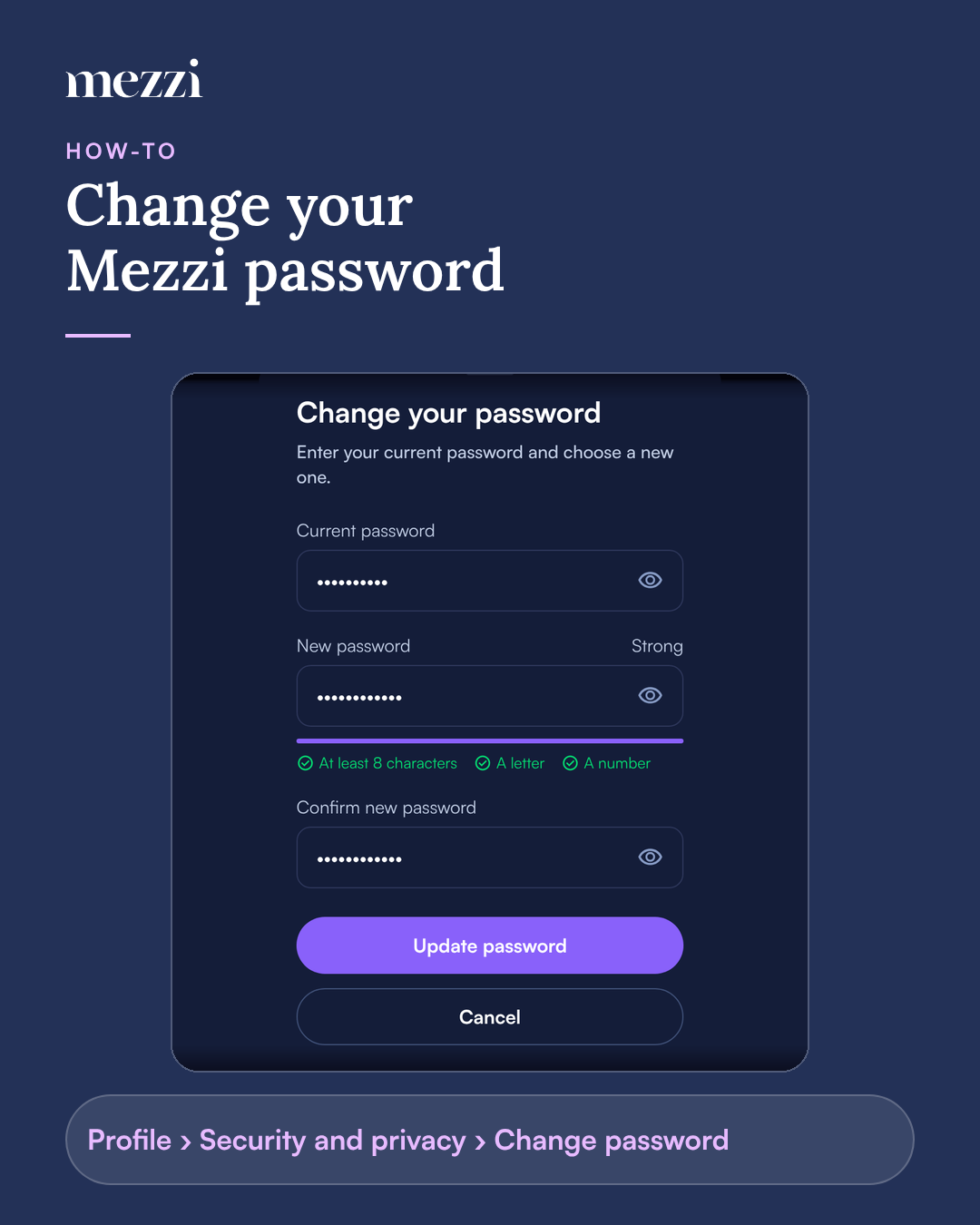
To change your Mezzi password, go to Profile › Security and privacy › Change password, enter your current password, choose a new one and tap Update password. Mezzi emails you to confirm the change. This option only appears for accounts that sign in with email; Apple and Google accounts don't have a Mezzi password.
🧭 How to Change Your Password
Go to Profile › Security and privacy.
Tap Change password.
Enter your current password.
Choose a new password (at least 8 characters, including a letter and a number) and confirm it.
Tap Update password.
Important Notes
Don't know your current password? Sign out and use Forgot password? instead. See How to Reset Your Password If You Forgot It.
"New password must be different from your current password." Choose a password you haven't just been using.
Don't see Change password? Your account signs in with Apple or Google. Change that account's password with Apple or Google instead.
Got a password-change email you didn't expect? Someone else may have changed it. Follow the steps in the email to sign out of Mezzi everywhere and reset your password, then contact us.
🗨 Still Need Help?
Email help@mezzi.com, or text or call (415) 763-6997. Include the email address on your Mezzi account and the exact message you see. Never send us your password.