How to Sign Up for Mezzi with Email and Password
Last updated: October 6, 2026
Overview
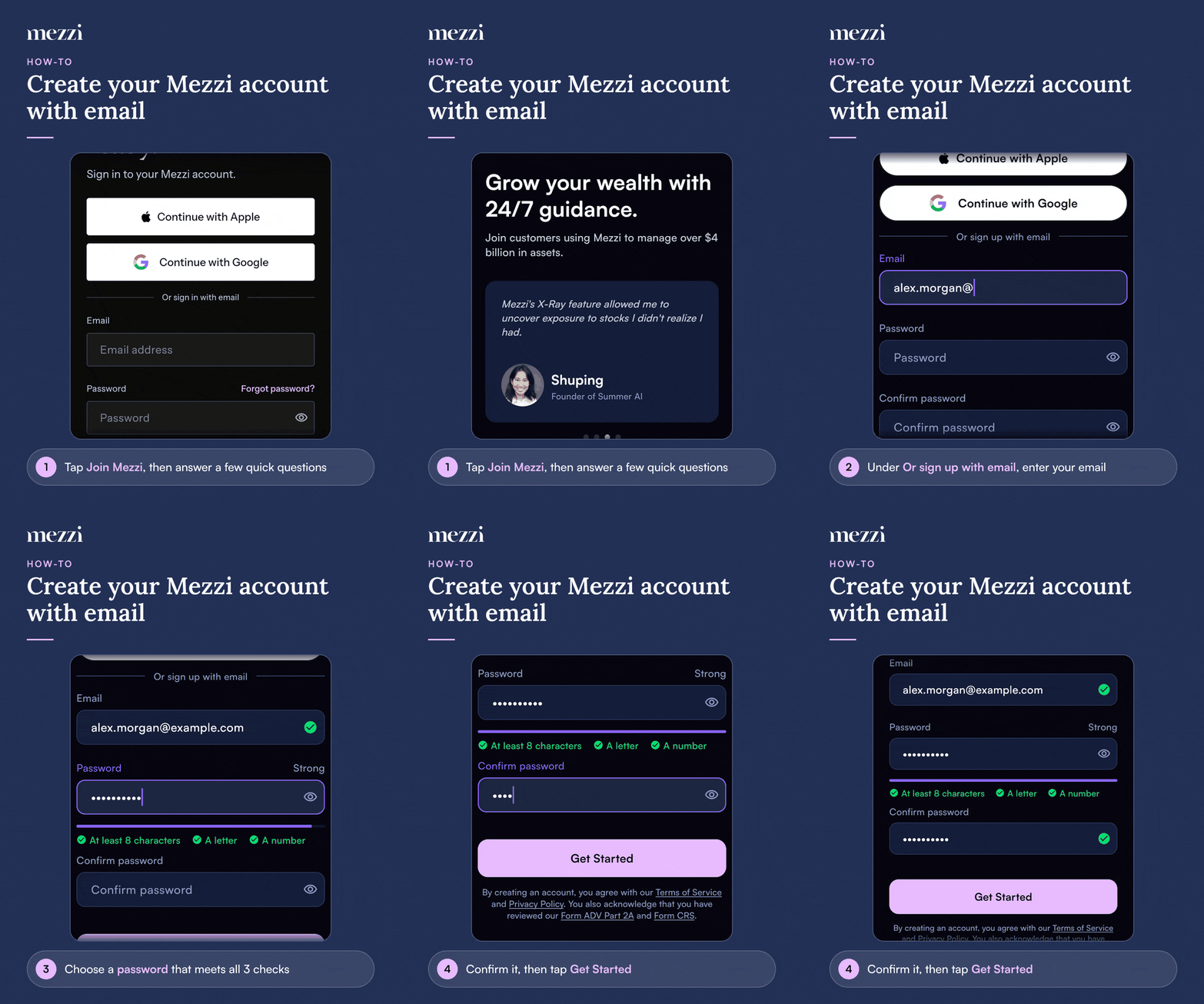
To create a Mezzi account with your email address, tap Join Mezzi, answer a few quick questions, then enter your email and a password under Or sign up with email and tap Get Started. Your password must be at least 8 characters and include a letter and a number. Mezzi then emails you a link to verify your address before you continue.
🧭 How to Sign Up with Email
On the sign-in screen, tap Join Mezzi, then tap Get started.
Answer the few quick questions about your goals and tap Continue after each one.
On the Let's build your plan screen, under Or sign up with email, enter your email address.
Choose a password. The checks below the field turn green once it has at least 8 characters, a letter and a number.
Enter it again in Confirm password, then tap Get Started.
Verify your email address using the link we send you. See How to Verify Your Email Address.
Important Notes
"An account with that email already exists." You already have a Mezzi account with that address, possibly through Apple or Google. Sign in the way you originally signed up instead of creating a new account.
"Passwords do not match." The two password fields need to be identical. Retype both.
Prefer Apple or Google? You can still sign up with either. You won't have a Mezzi password, and two-factor authentication in Mezzi is only available for email and password accounts. See How Does Email and Password Sign-In Work in Mezzi?
🗨 Still Need Help?
Email help@mezzi.com, or text or call (415) 763-6997. Include the email address you're signing up with and the exact message you see. Never send us your password.