How to Log Out of Mezzi
Last updated: October 8, 2026
Overview
To log out of Mezzi, open your profile and click the Log out button at the very bottom of the page, just below the social media icons. On the web, logging out also turns off Trusted device for that browser, so you'll need to sign in again on your next visit.
🧭 How to Log Out on the Web
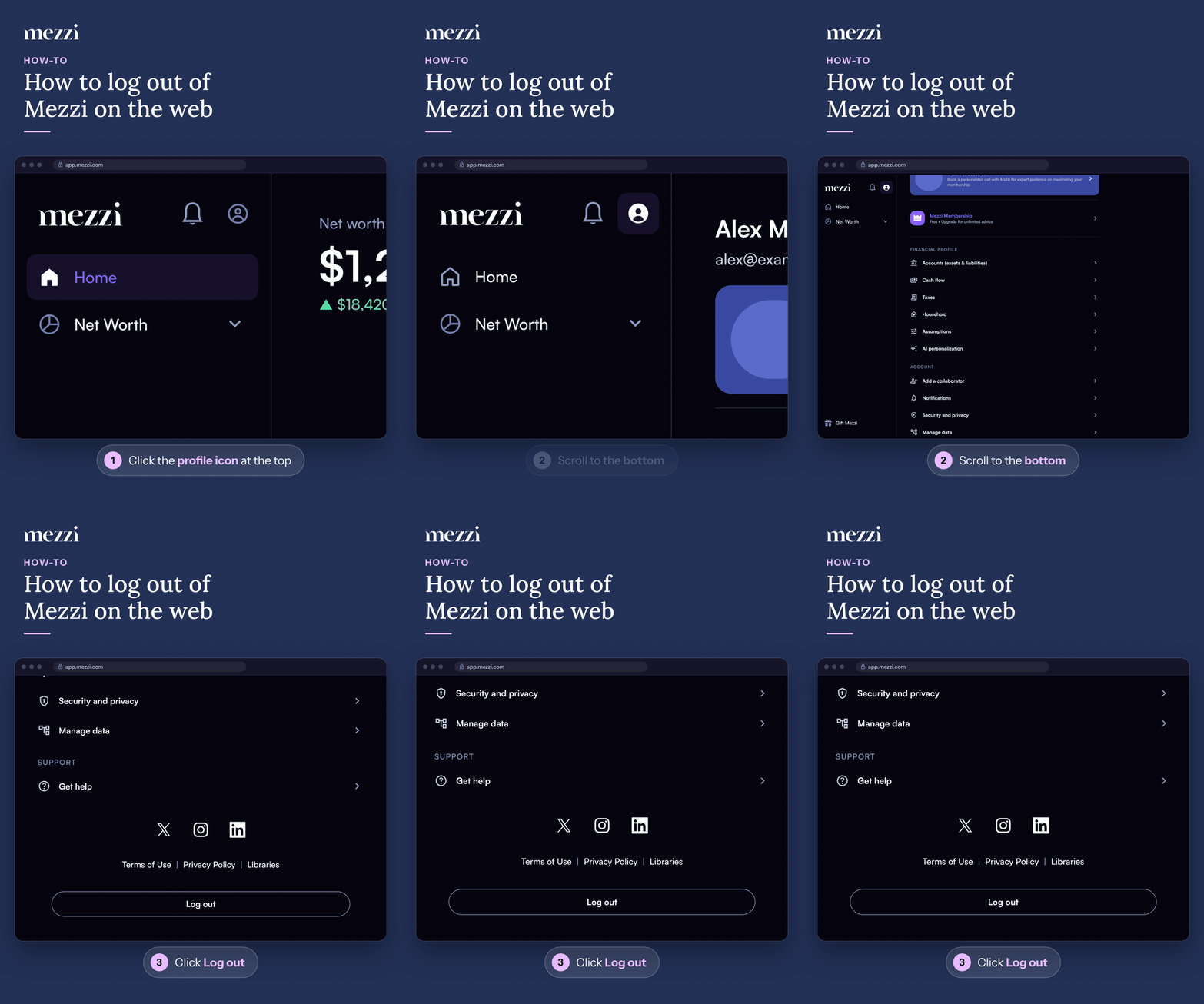
Click the profile icon at the top of the left menu.
Scroll to the bottom of the page.
Click Log out, just below the social media icons and the Terms of Use link.
On the iOS or Android app: tap Profile in the bottom menu, scroll to the bottom, and tap Log out.
Important Notes
Can't see the Log out button? On some laptop and desktop screens, the bottom of the page can sit behind the Windows taskbar or below the edge of the browser window. Press Ctrl and minus (-) (or Cmd and minus on a Mac) to zoom out, or maximize the browser window, and the button will appear.
Logging out doesn't disconnect your accounts. It only ends your session. Your connections, holdings and history stay as they are.
Mezzi can also sign you out for you. On the web, if Trusted device is off, Mezzi signs you out automatically after 15 minutes of inactivity. See Trusted Devices and Automatic Sign-Out.
🗨 Still Need Help?
If you still can't find the Log out button, email help@mezzi.com with a screenshot of your profile page and the browser you're using. You can also text or call (415) 763-6997.