Mezzi to ChatGPT and Claude (MCP)
Last updated: June 29, 2026
You can now connect Mezzi to ChatGPT and Claude. Once it's linked, you can ask either one about your real accounts and get answers from your actual data, not guesses.
This runs on MCP (Model Context Protocol), the open standard for connecting AI tools to live data. You set it up once, and the connection follows your account.
Two ways to connect. Claude is the simpler path and works on its free tier. ChatGPT needs a paid plan with Developer Mode turned on.
Claude (Free, Pro, or Max)
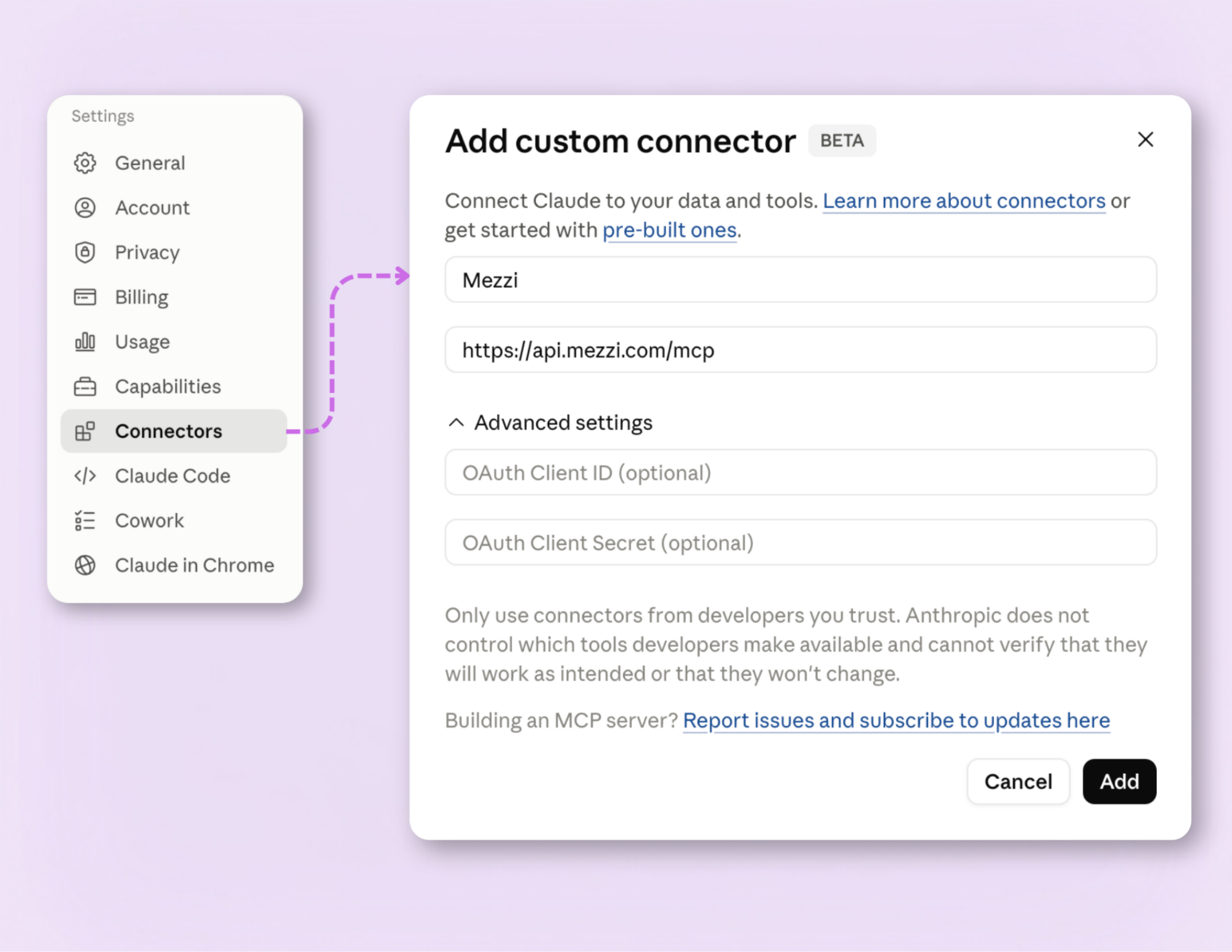
Go to Settings → Connectors, or visit claude.ai/customize/connectors.
Click the "+" and choose Add custom connector.
Name it "Mezzi" and paste: https://api.mezzi.com/mcp
Click Add, then Connect, and sign in to Mezzi when prompted.
In any chat, click the "+", choose Add connectors, and toggle Mezzi on.
ChatGPT (Plus, Pro, Business, or Enterprise)
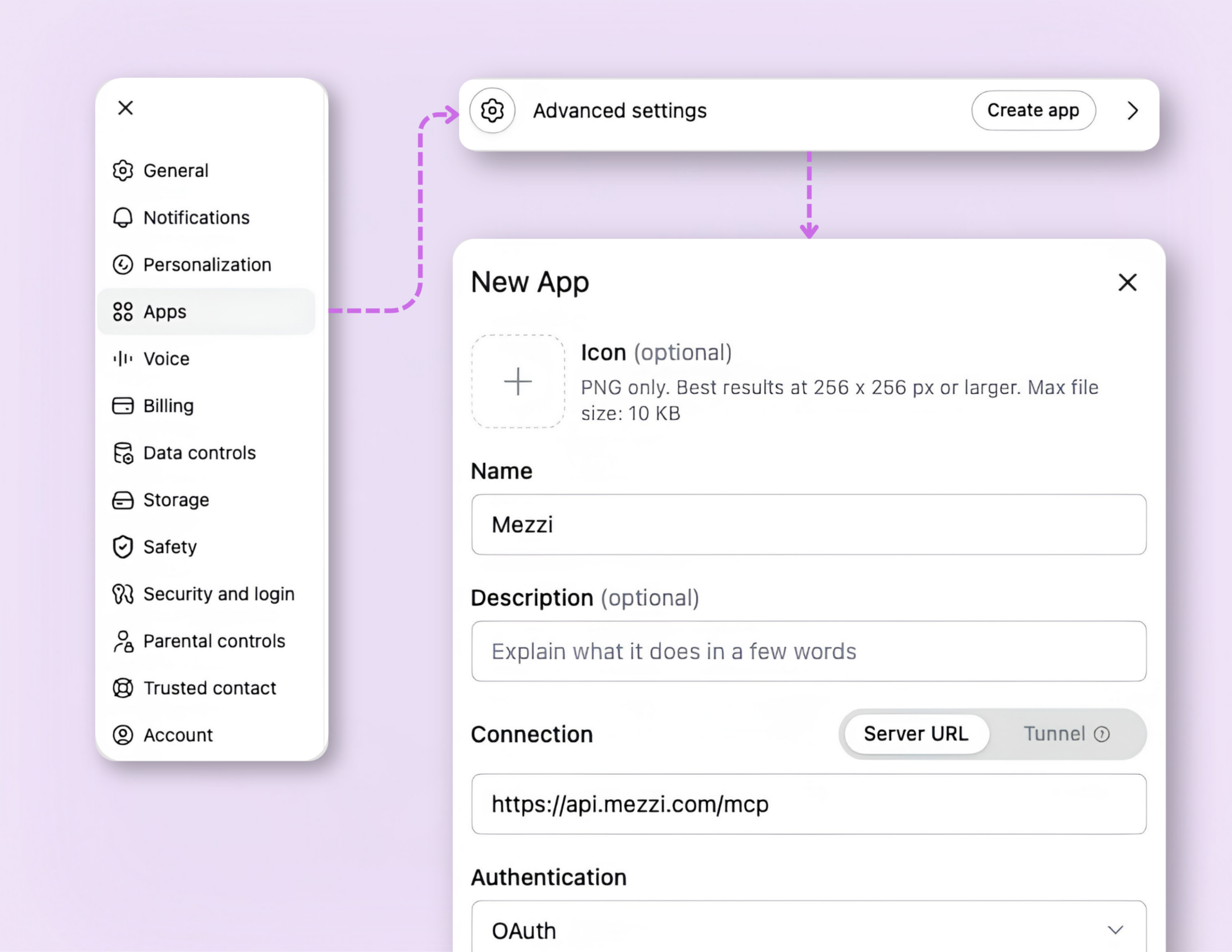
In Settings → Apps & connectors → Advanced settings, turn on Developer mode.
Back in Apps & connectors, click Create, name it “Mezzi” and paste: https://api.mezzi.com/mcp
Complete the sign-in to Mezzi.
In a new chat, open the "+" menu → More → Developer mode, and select Mezzi.
On a Team or Enterprise workspace in either tool, an admin may need to add the connector before you can turn it on.
Try asking:
What's my true exposure to any single stock across all my accounts?
Where do my ETFs and funds overlap?
How much am I paying in fund fees across everything I hold?
What does my household's asset allocation actually look like?
These point the AI at understanding your own situation, not picking stocks.
One note on privacy
When you connect Mezzi to ChatGPT or Claude, that platform handles your data under its terms, not Mezzi's, and both treat custom connectors as a beta feature. Connect the tools you trust, and you can disconnect Mezzi from either at any time in its settings.