How to Find and Search Your Past Mezzi AI Chats
Last updated: September 30, 2026
Overview
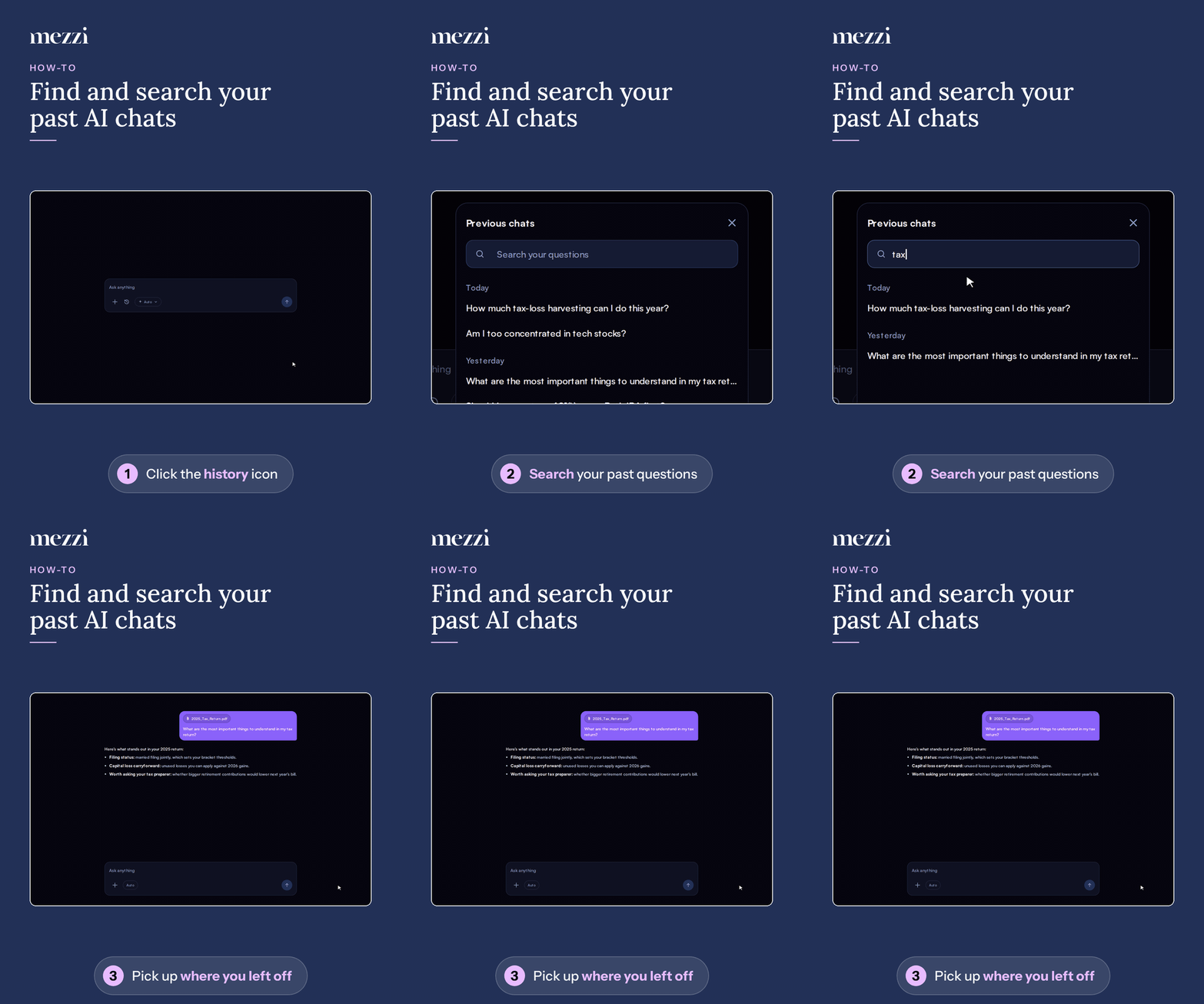
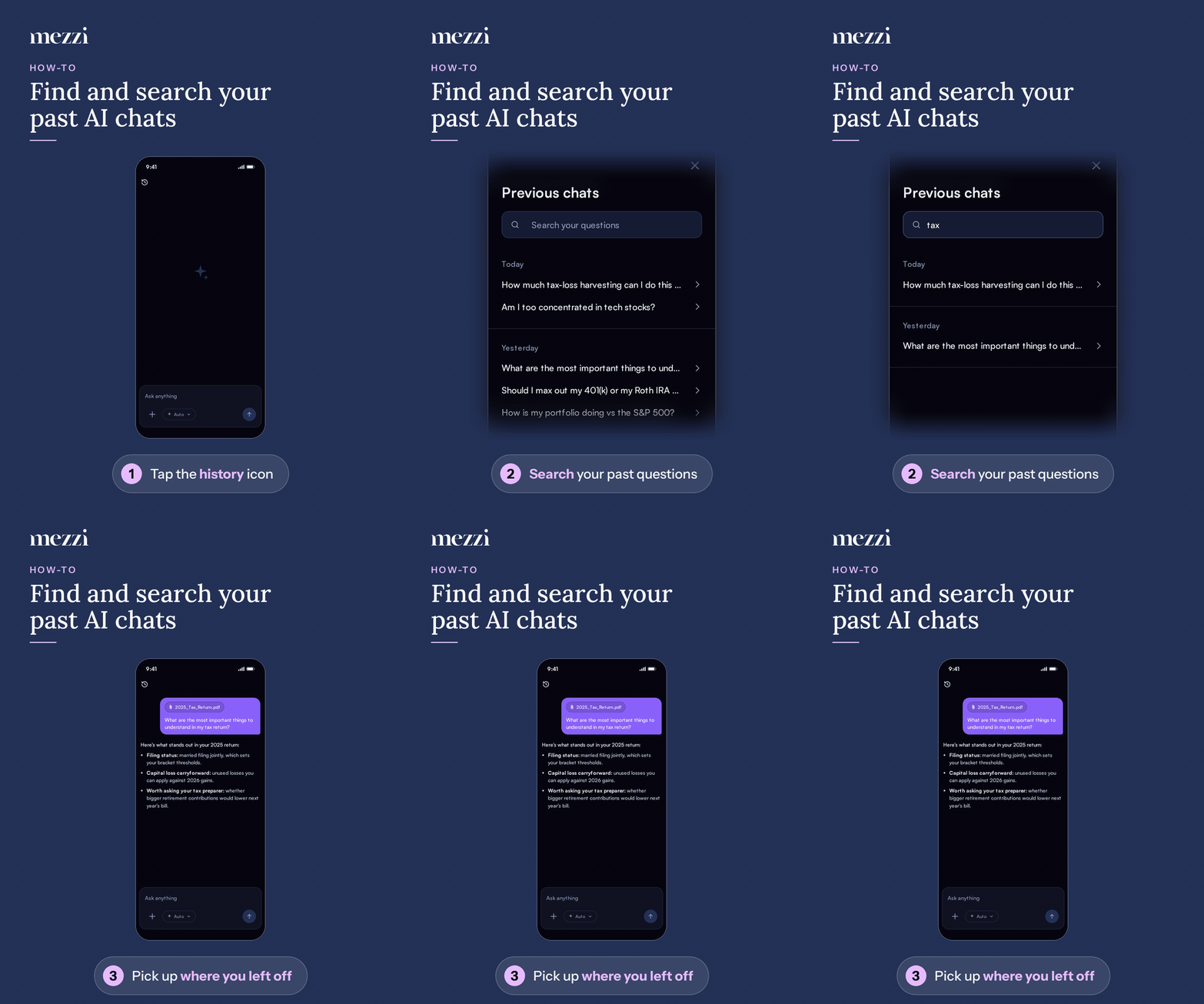
Your past Mezzi AI conversations are saved under Previous chats, where you can search them and reopen any conversation to pick up where you left off. On the web, open them from the history icon next to + in the chat box on Home. On the phone app, the history button is at the top left of the chat screen. Chat history stays available on the free plan, even after you reach your monthly question limit.
🧭 How to Find a Past Chat
On the web
Go to Home and find the Ask anything box.
Click the history icon next to + (its tooltip reads Chat history). The Previous chats panel opens.
Type a word or phrase into the search at the top to find a conversation, or scroll the list. Chats are grouped under Today, Yesterday, and Earlier.
Click a chat to reopen it.
To see your full history, click View all at the bottom of the panel.
On iPhone or Android
Open Mezzi AI chat.
Tap the history button at the top left of the screen.
Search or scroll Previous chats, then tap a conversation to reopen it.
💡 Why This Matters
Reopening a conversation keeps its context, so you don't need to explain your situation again. When you reopen a chat where you attached a file, such as your tax return, the file is still shown in the conversation. This makes it easy to ask follow-up questions weeks later.
Important Notes
If you haven't chatted yet, the panel shows No previous chats yet.
To remove conversations, see How to Delete AI Chat History in Mezzi.
🗨 Still Need Help?
Email help@mezzi.com with the device you're using and a screenshot of what you see.