How to Hide and Unhide Accounts in Mezzi
Last updated: October 29, 2026
Overview
You can hide any linked account from your Net Worth total and other views in Mezzi, and unhide it again at any time, from that account's options menu under Financial Profile > Accounts. Brokerage and bank accounts you added manually can be hidden too; real estate, vehicles, other assets and liabilities you entered yourself can't.
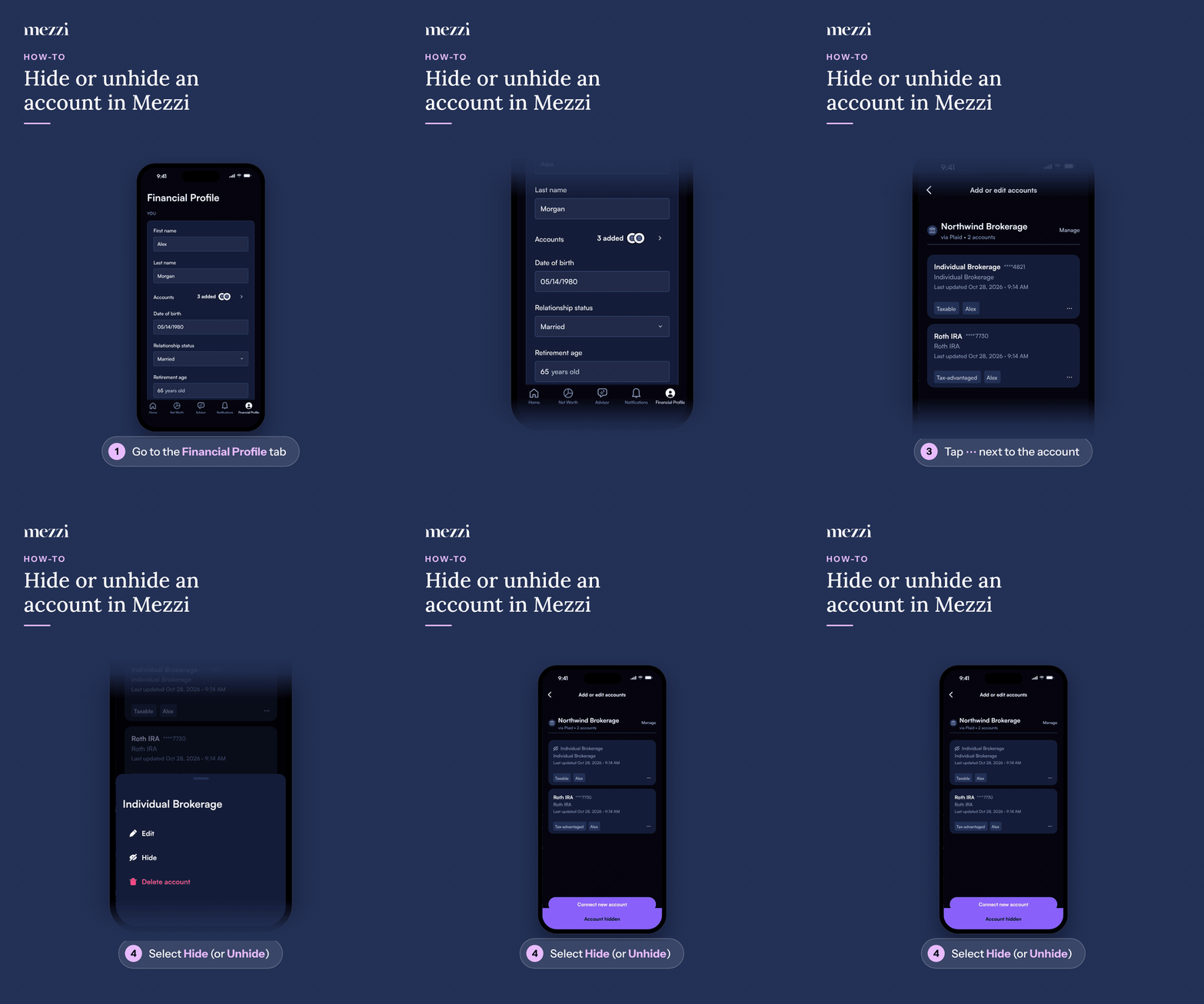
🧭 How to Hide or Unhide an Account (iOS)
Tap Financial Profile, the last tab in the bottom bar.
Tap Accounts in the You section. This opens Add or edit accounts.
Find the account you want to hide or unhide.
Tap the three dots next to the account.
Tap Hide (or Unhide).
🧭 How to Hide or Unhide an Account (web)
Click Financial Profile in the left menu.
Click Accounts in the You section. This opens Add or edit accounts.
Find the account you want to hide or unhide.
Click the three dots next to the account.
Select Hide (or Unhide) from the menu.
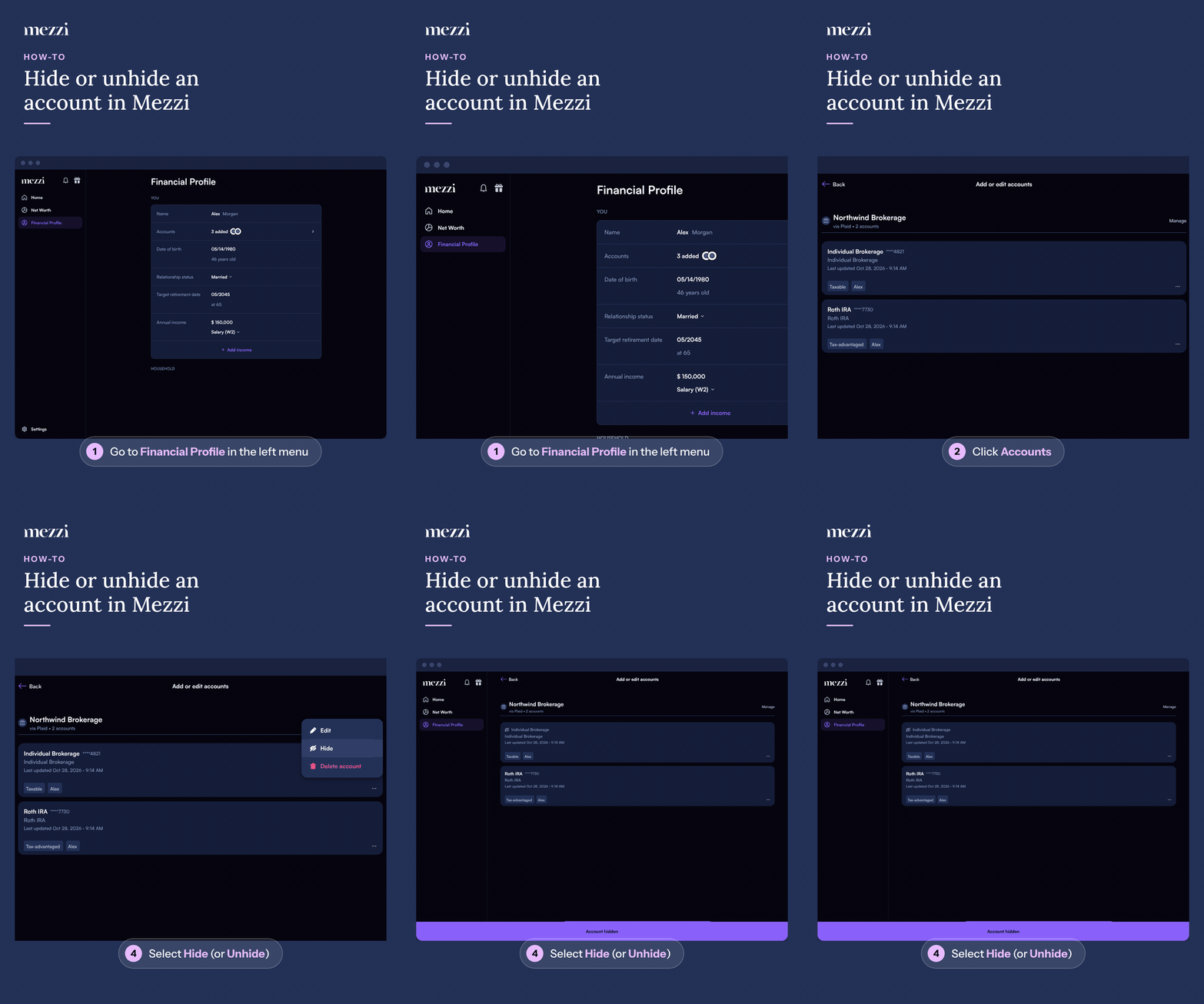
Once hidden, the account is removed from your Net Worth total, portfolio, and other views right away. Unhiding it brings it back with all its history intact. Nothing is deleted.
💡 Why This Matters
Hiding is the fastest way to clean up your Net Worth view when an aggregator connection has pulled in a duplicate or empty account, something that can happen when the same account gets linked through two different connection methods, or a closed account is still showing up on the institution's side.
Since balances aren't shown next to accounts in this menu, it helps to check your Net Worth or Portfolio tab first and note the exact balance of the account you're about to hide. After hiding it, confirm your Net Worth total dropped by that same amount. That's how you know you hid the right one rather than an active account with a similar name.
Important Notes
Only some manual entries can be hidden. Brokerage and bank accounts you added manually (listed under Manual Accounts) have Hide and Unhide. Real estate, vehicles, other assets and liabilities you entered yourself don't, so there's currently no way to exclude them from your Net Worth total.
Hiding an account is reversible at any time using the same three-dot menu in Financial Profile > Accounts.
🗨 Still Need Help?
If the Hide option isn't showing up on an account you expect it to, or an account's balance doesn't change after hiding it, email help@mezzi.com or text/call (415) 763-6997 with the account name and institution so we can take a look.