How to Sign In to Mezzi with Email and Password
Last updated: October 6, 2026
Overview
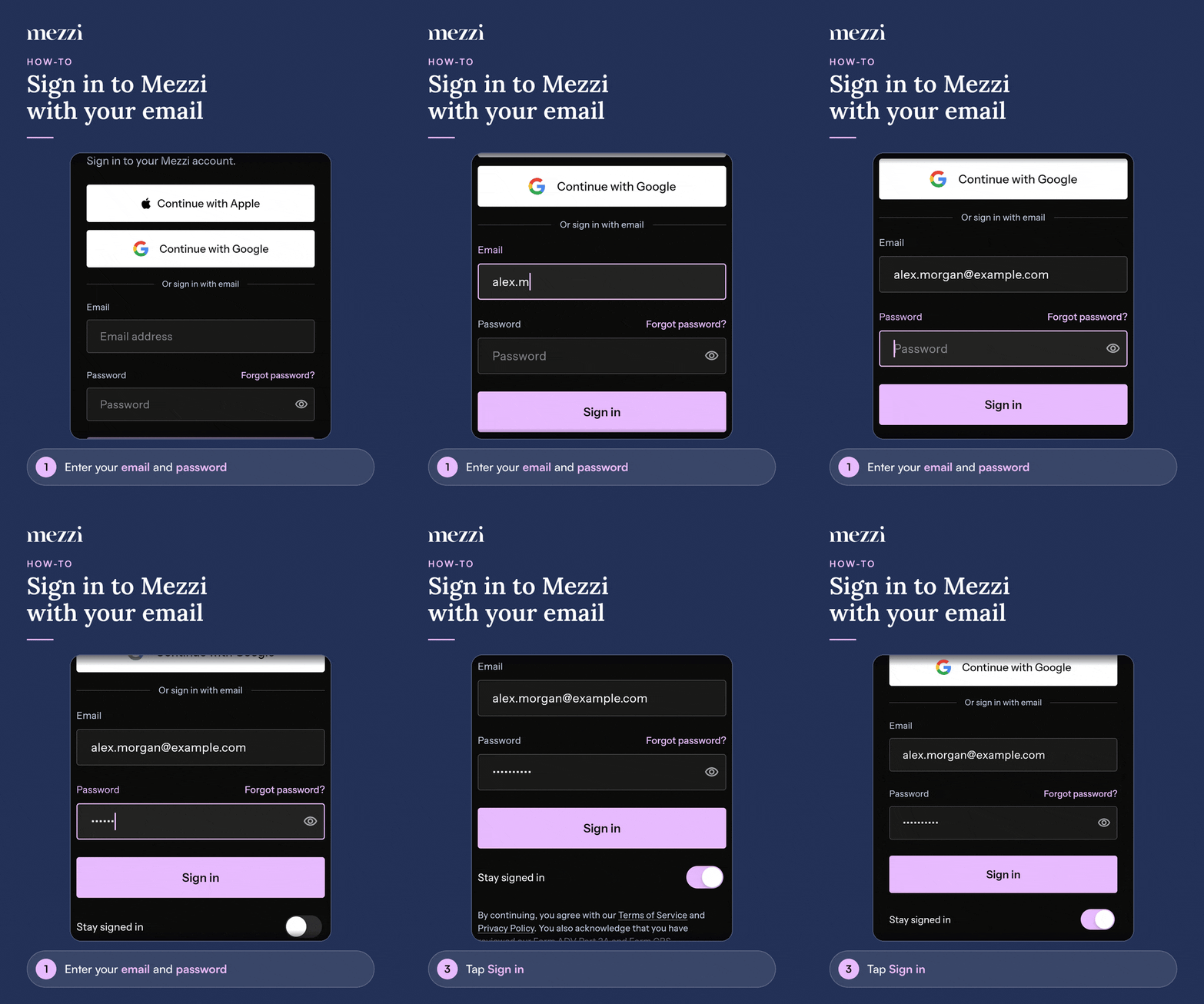
To sign in with your email, enter your email address and password on the sign-in screen, under Or sign in with email, and tap Sign in. If you've turned on two-factor authentication, you'll then enter a 6-digit verification code.
🧭 How to Sign In with Email
On the sign-in screen, enter your email address and password in the fields under Or sign in with email.
Tap Sign in.
If two-factor authentication is on, enter your 6-digit code on the Two-factor verification screen and tap Verify.
💡 Why This Matters
Stay signed in on your own devices. Turn on the Stay signed in toggle below the Sign in button on a phone or computer only you use, so Mezzi doesn't sign you out automatically. Leave it off on shared devices. See Trusted Devices and Automatic Sign-Out.
Important Notes
"Incorrect email or password. Please try again." Check the email address for typos. If you're not sure of your password, tap Forgot password? next to the Password label. See How to Reset Your Password If You Forgot It.
Signed up with Apple or Google? Use Continue with Apple or Continue with Google instead. Those accounts don't have a Mezzi password.
"Too many attempts. Please wait a moment and try again." Wait a few minutes before trying again.
Lost access to your two-factor method? On the verification screen, tap Lost access to your verification method? and then Use a recovery code.
"This account has been disabled. Please contact support." Email us and we'll look into it.
🗨 Still Need Help?
Email help@mezzi.com, or text or call (415) 763-6997. Include the email address on your Mezzi account, whether you're on the web or the app, and the exact message you see. Never send us your password or codes.