How to Track and Update Alternative Assets in Mezzi
Last updated: October 29, 2026
Overview
If you have an account added as an Other Asset (such as a money market account), you can update its current value at any time without needing to delete and recreate it. You do this from the asset's Edit option under Financial Profile > Accounts, and real estate and vehicles you added manually work the same way.
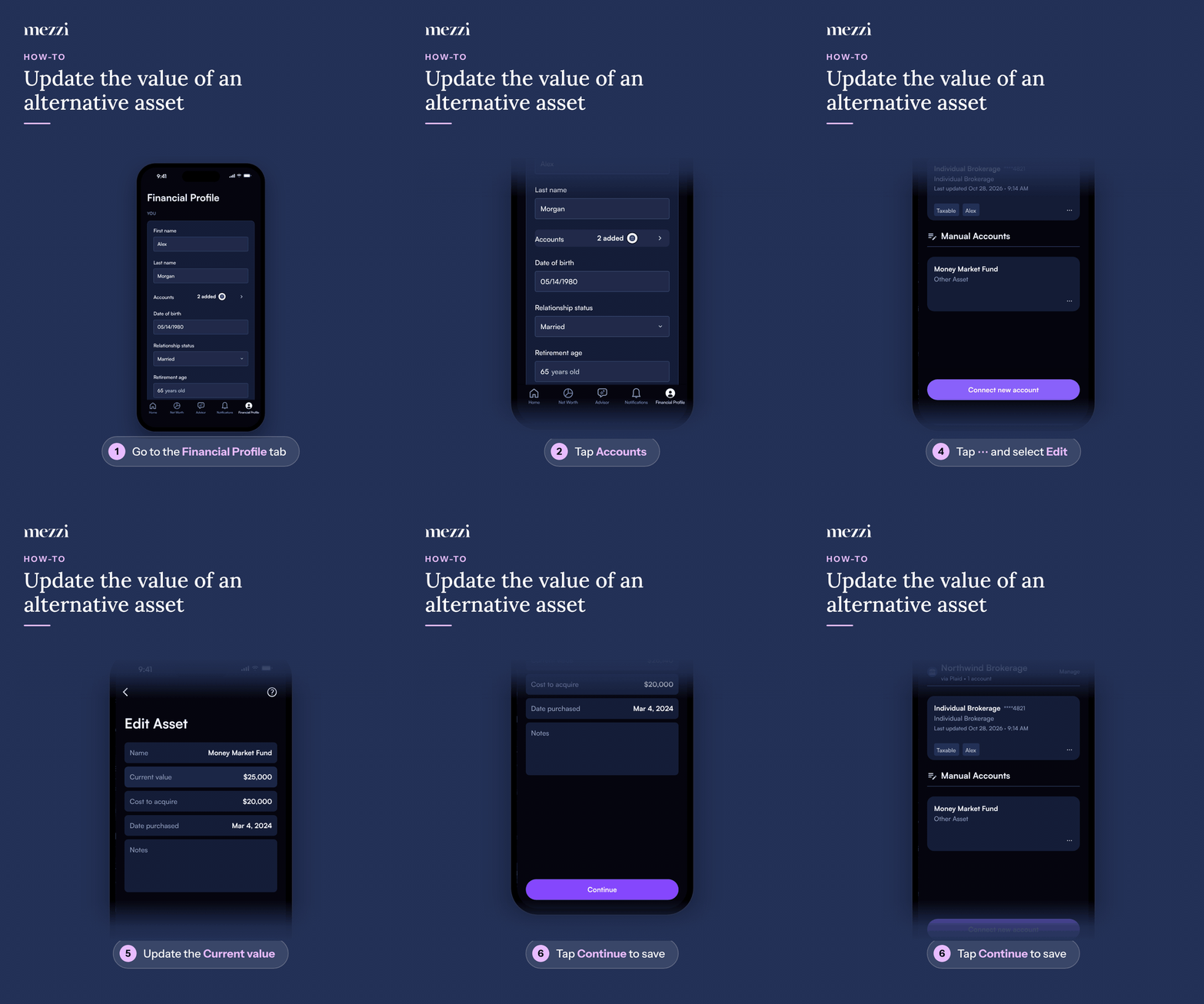
🧭 How to Update an Alternative Asset (iOS)
Tap Financial Profile, the last tab in the bottom bar.
Tap Accounts in the YOU section. This opens Add or edit accounts.
Find the asset under Manual Accounts. Other assets are labeled Other Asset.
Tap the three dots (⋯) next to the asset and select Edit.
Update the Current value on the Edit Asset screen.
Tap Continue to save your changes.
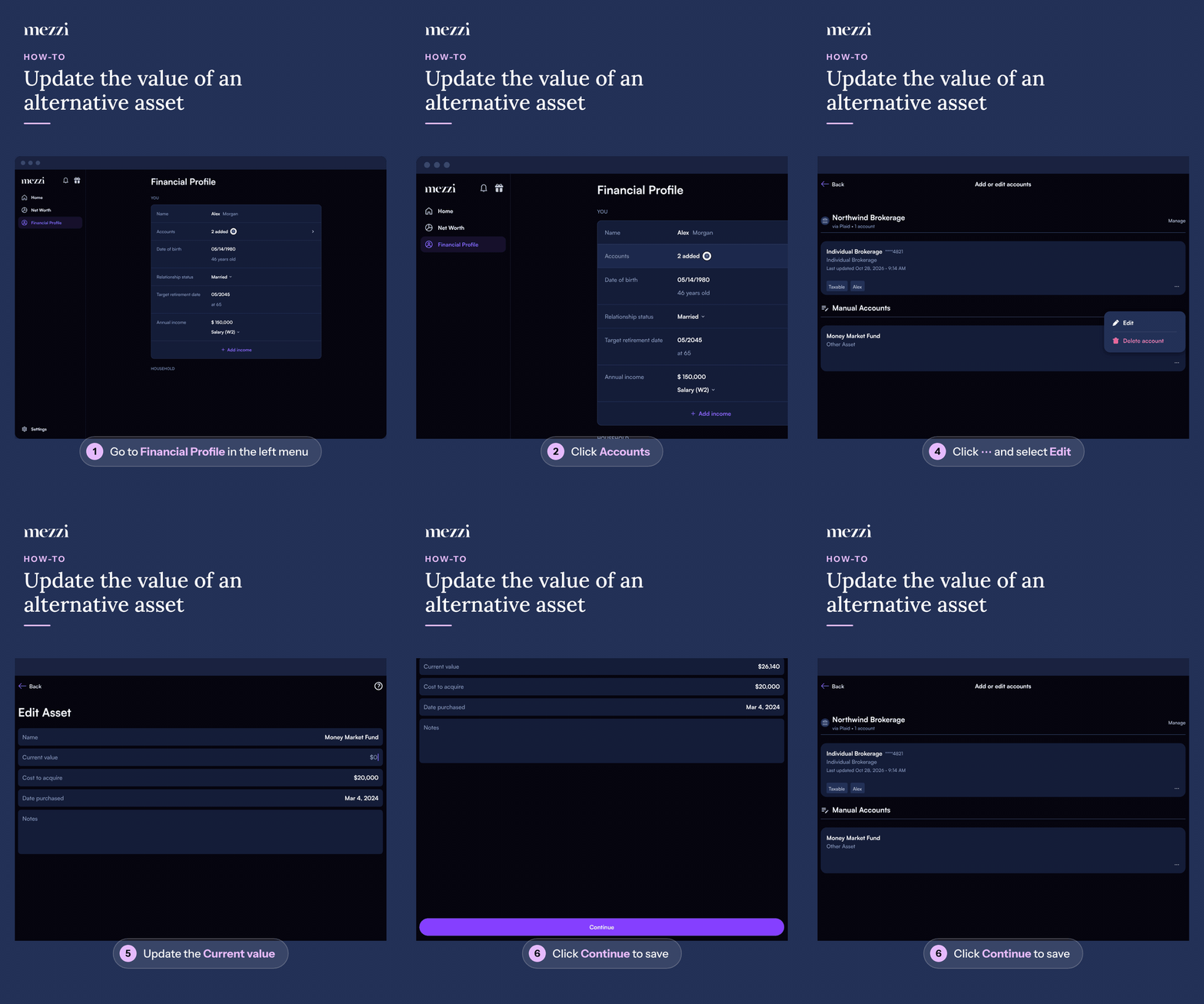
🧭 How to Update an Alternative Asset (web)
Click Financial Profile in the left menu.
Click Accounts in the YOU section. This opens Add or edit accounts.
Find the asset under Manual Accounts. Other assets are labeled Other Asset.
Click the three dots (⋯) next to the asset and select Edit.
Update the Current value on the Edit Asset screen.
Click Continue to save your changes.
Once saved, the asset shows its new value in your Net Worth.
Screen and Button Names by Asset Type
The edit screen and its save button are named differently depending on the kind of asset:
Other Asset: the Edit Asset screen, saved with Continue.
Real estate: the Property details screen, saved with Save.
Vehicle: the Edit vehicle details screen, saved with Save changes.
💡 Why This Matters
This process applies to anything you added manually as an Other Asset, real estate, or a vehicle. You can use the Edit option whenever you need to reflect a new balance or value for the account, keeping your financial data up to date without having to delete and re-enter the account information. Real estate and vehicles you added manually are updated the same way, through ⋯ > Edit; only the screen and button names differ, as listed above.
Important Notes
For an Other Asset, Continue stays disabled unless Cost to acquire is filled in. If you can't tap or click it, check that field first.
Manually added assets don't update on their own, so edit the value whenever you have a new estimate or statement.
🗨 Still Need Help?
If the Edit option isn't showing for an asset, or the new value doesn't appear after saving, email help@mezzi.com or text/call (415) 763-6997 with the asset's name in Mezzi.