How to Edit Holdings for Manually Added Accounts in Mezzi
Last updated: October 29, 2026
Overview
If you've manually added an account or asset in Mezzi, you can edit the holdings at any time to keep your financial data accurate. This includes updating values, units, or other details as your investments change.
🧭 How to Edit a Manually Added Holding (iOS)
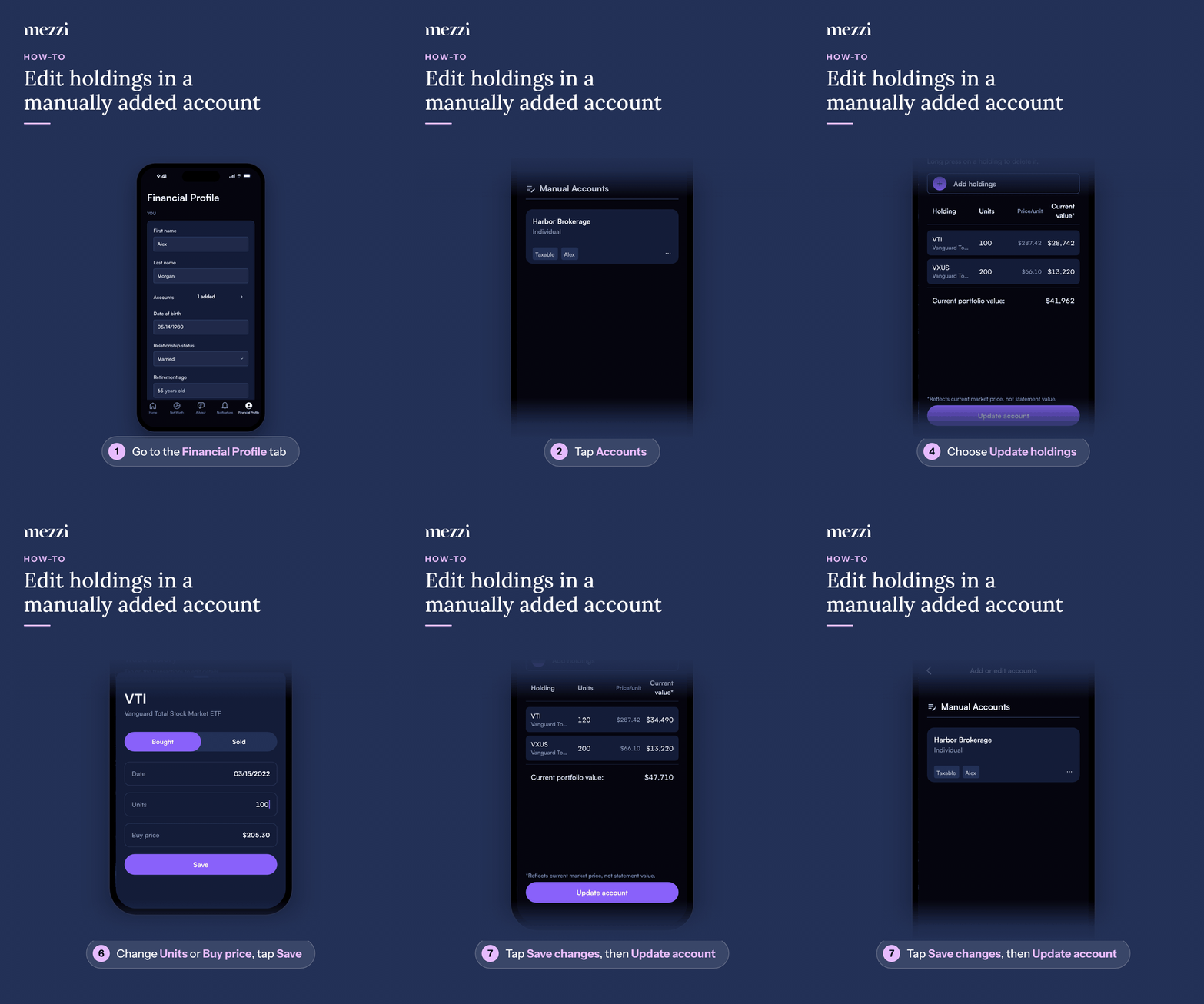
Tap Financial Profile, the last tab in the bottom bar.
Tap Accounts in the You section. This opens Add or edit accounts; manually added accounts are listed under Manual Accounts.
Tap the three dots (⋯) next to the account.
Choose Update holdings.
Tap the holding you want to change, then tap the trade you want to edit under Trade history.
Change the Units or Buy price, then tap Save.
Tap Save changes, then tap Update account.
🧭 How to Edit a Manually Added Holding (web)
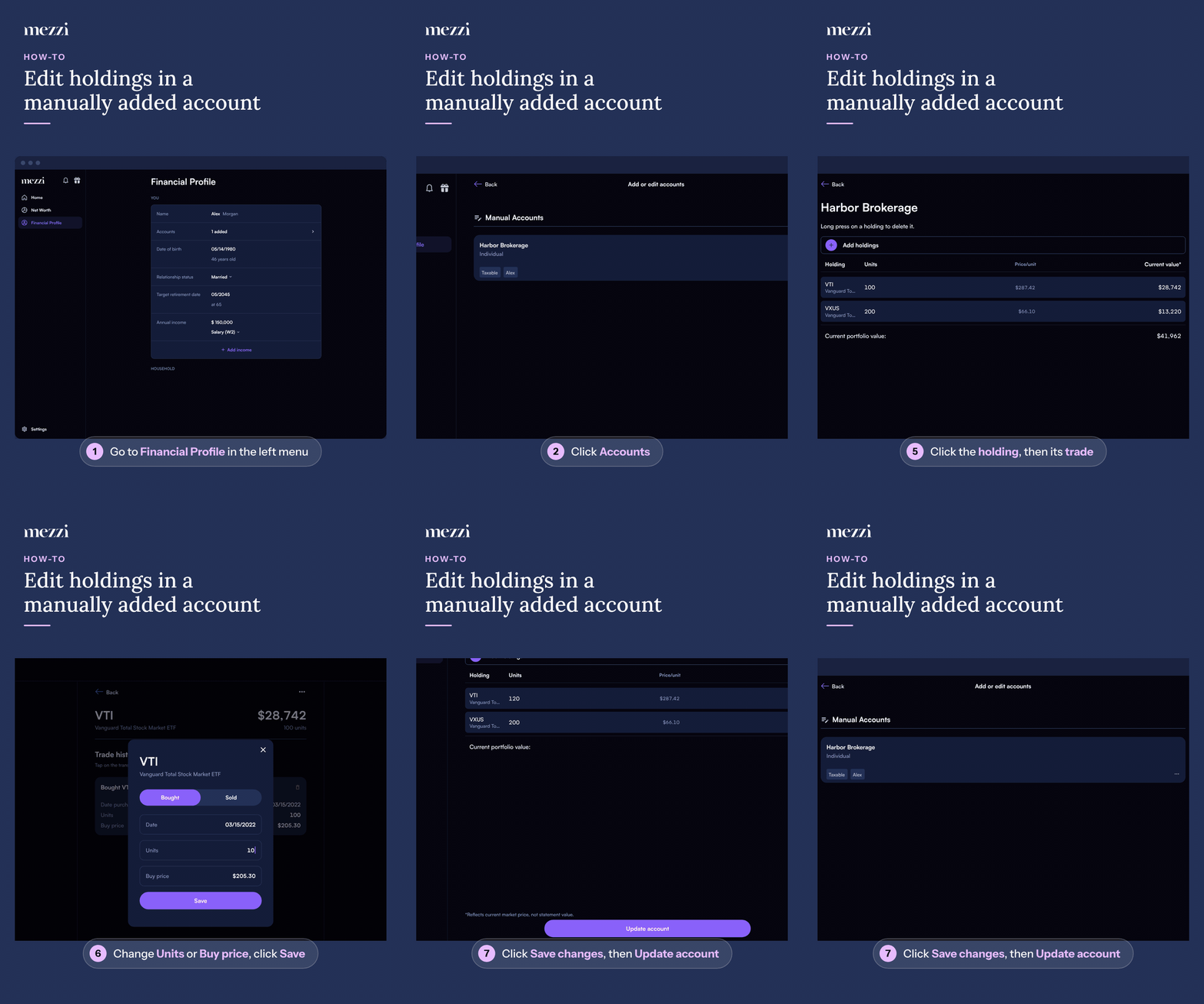
Click Financial Profile in the left menu.
Click Accounts in the You section. This opens Add or edit accounts; manually added accounts are listed under Manual Accounts.
Click the three dots (⋯) next to the account.
Choose Update holdings.
Click the holding you want to change, then click the trade you want to edit under Trade history. The trade opens in a dialog.
Change the Units or Buy price, then click Save.
Click Save changes, then click Update account.
Return to your dashboard to see the updated values reflected. If they don't show right away, refresh.
💡 Why This Matters
Manually added accounts do not automatically sync or update. Keeping your holdings updated ensures:
Accurate portfolio tracking
Better AI insights and recommendations
A complete and reliable financial picture
Important Notes
To delete a holding, press and hold it (on web, click and hold) in the list of holdings you see after choosing Update holdings.
For a property, vehicle or other asset, choose Edit from the three-dot menu instead and change the Current value or Purchase price.
🗨 Still Need Help?
If you're unable to edit a holding or your updates are not saving, email help@mezzi.com or text/call (415) 763-6997 and include:
The account or asset name
What you're trying to update
A screenshot (if possible)