How to Update AI Personalization in Mezzi
Last updated: October 29, 2026
Overview
Personalizing Mezzi helps the AI provide advice and insights that are tailored to your unique financial situation, goals, investing style, and preferences. By sharing information such as your financial goals, risk tolerance, investment knowledge, and communication preferences, Mezzi can deliver more personalized recommendations and more relevant analysis.
You can update your AI personalization either from your Financial Profile or directly through Advisor.
🧭 How to Update AI Personalization (iOS)
Option 1: Update from your Financial Profile
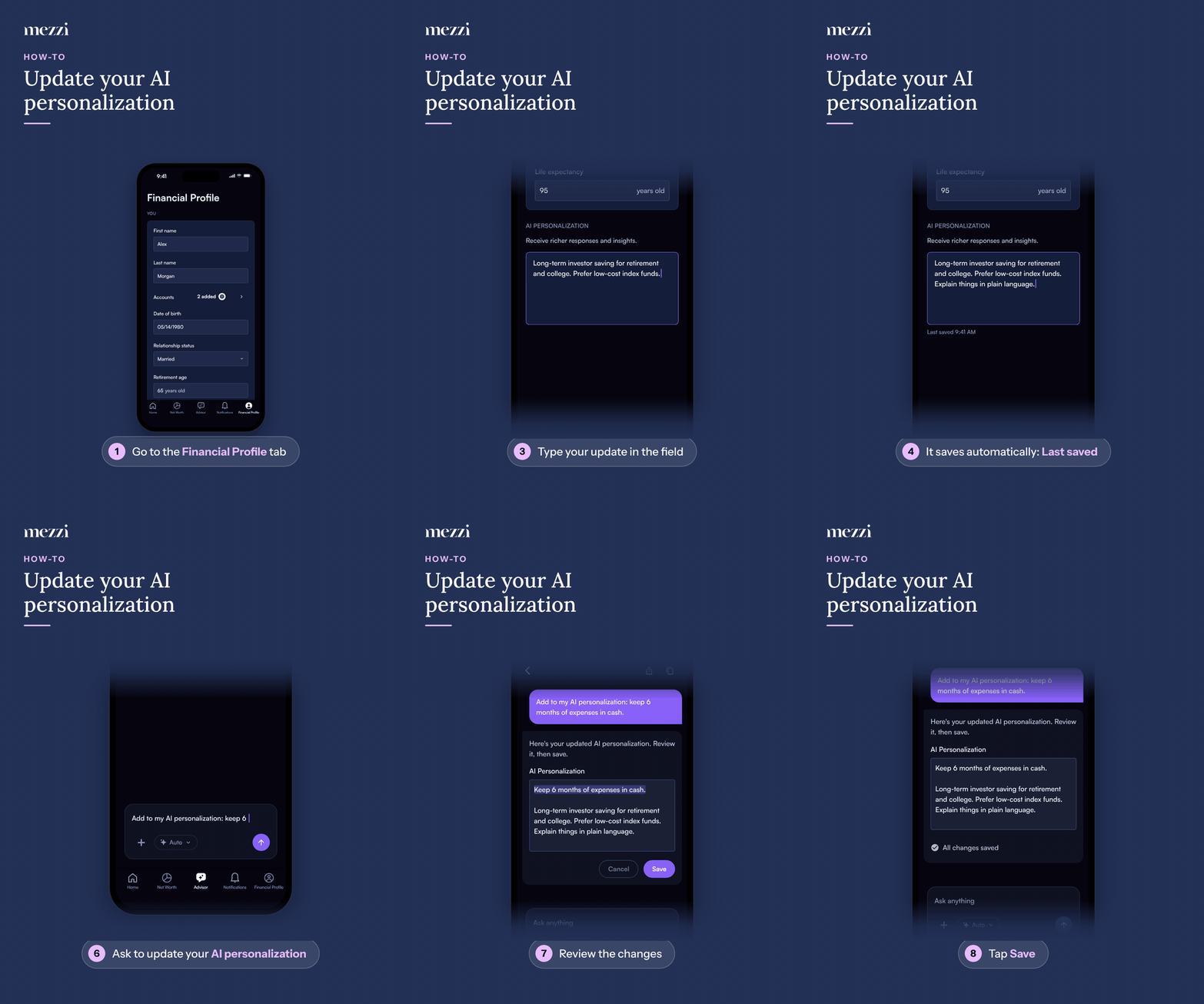
Tap Financial Profile, the last tab in the bottom bar.
Scroll to the AI personalization section.
Type your update in the text field.
Your changes save automatically. You'll see Saving… and then Last saved with the time.
Option 2: Update through Advisor
Tap the Advisor tab in the bottom bar.
Ask Advisor to add or update your AI personalization.
Review the changes.
Tap Save.
🧭 How to Update AI Personalization (web)
Option 1: Update from your Financial Profile
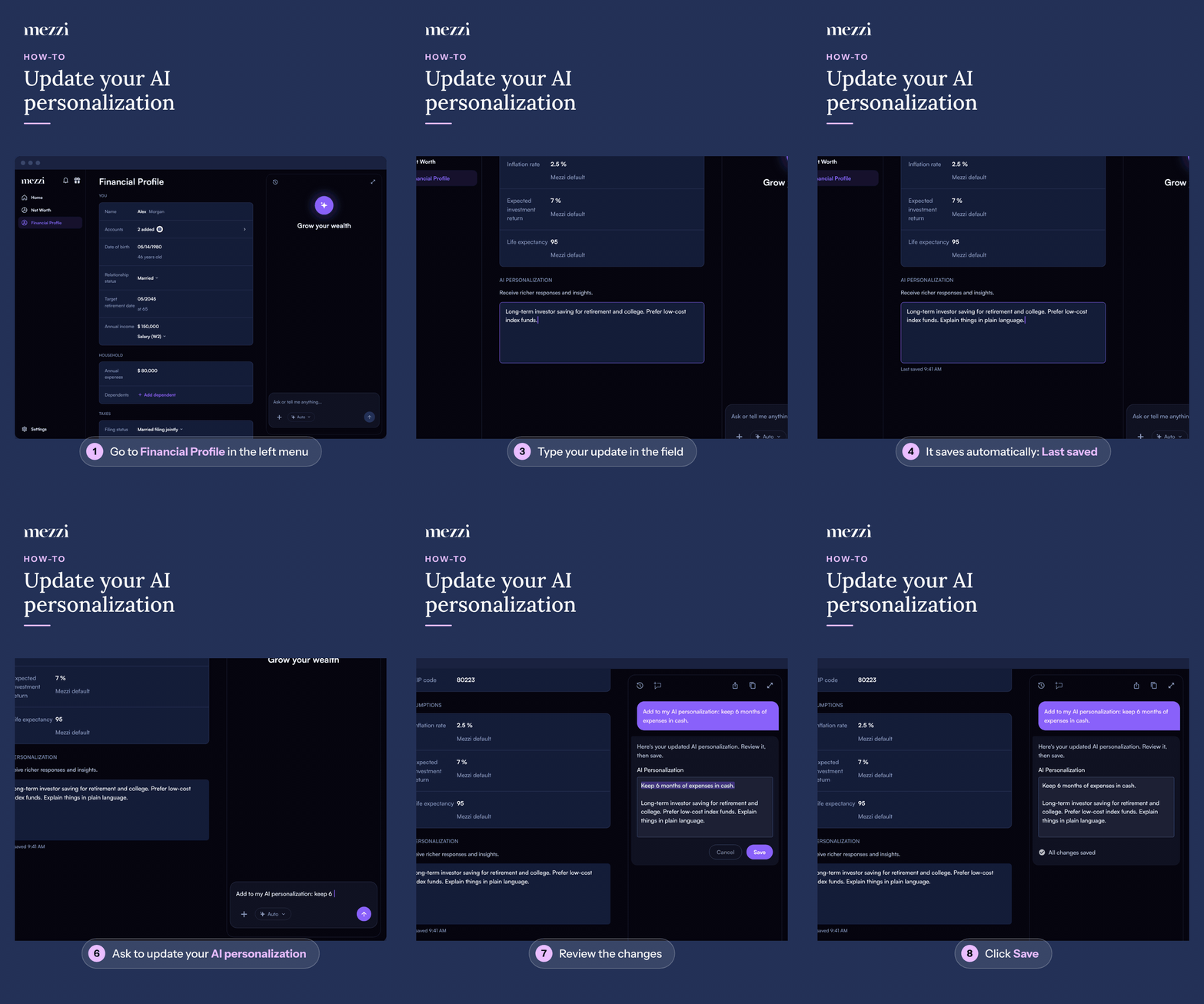
Click Financial Profile in the left menu.
Scroll to the AI personalization section.
Type your update in the text field.
Your changes save automatically. You'll see Saving… and then Last saved with the time.
Option 2: Update through Advisor
Use the Advisor panel on the right side of the page. On Home, type in the What's on your mind today? box instead. If you don't see the panel, make your browser window wider.
Ask Advisor to add or update your AI personalization.
Review the changes.
Click Save.
💡 Why This Matters
AI personalization helps Mezzi better understand your goals, preferences, and investing style so it can provide more relevant analysis and insights.
Once updated, your personalization should be reflected in your future AI responses, analysis, and insights.
Important Notes
You can update AI personalization at any time.
If you update it through Advisor, make sure to review the changes before saving.
🗨 Still Need Help?
If your AI personalization is not saving or is not reflected in your analysis, email help@mezzi.com and include:
A screenshot of the personalization section
The text you tried to save
A brief description of what is not updating