How to Edit an Account's Name, Status, or Other Details in Mezzi
Last updated: October 29, 2026
Overview
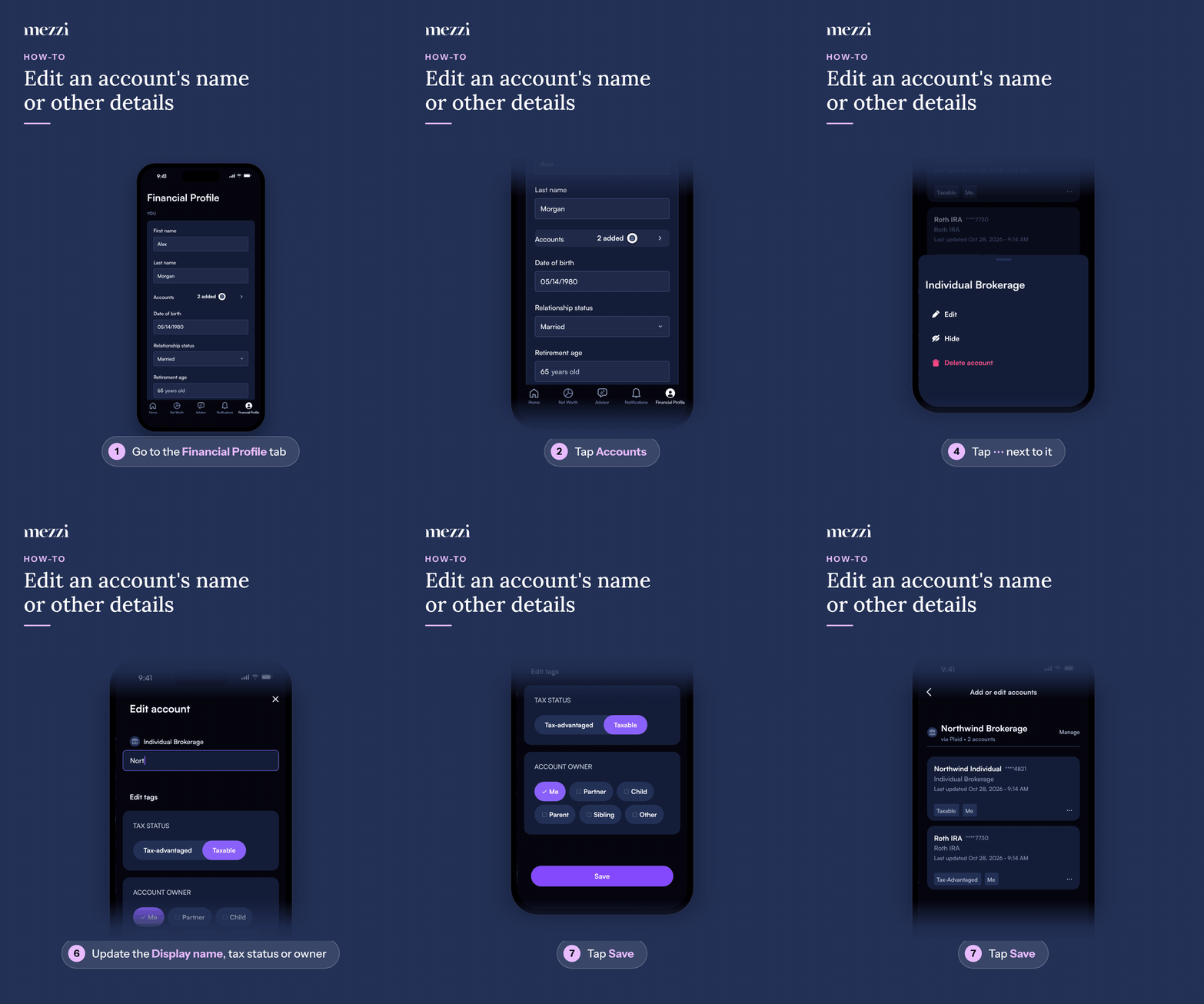
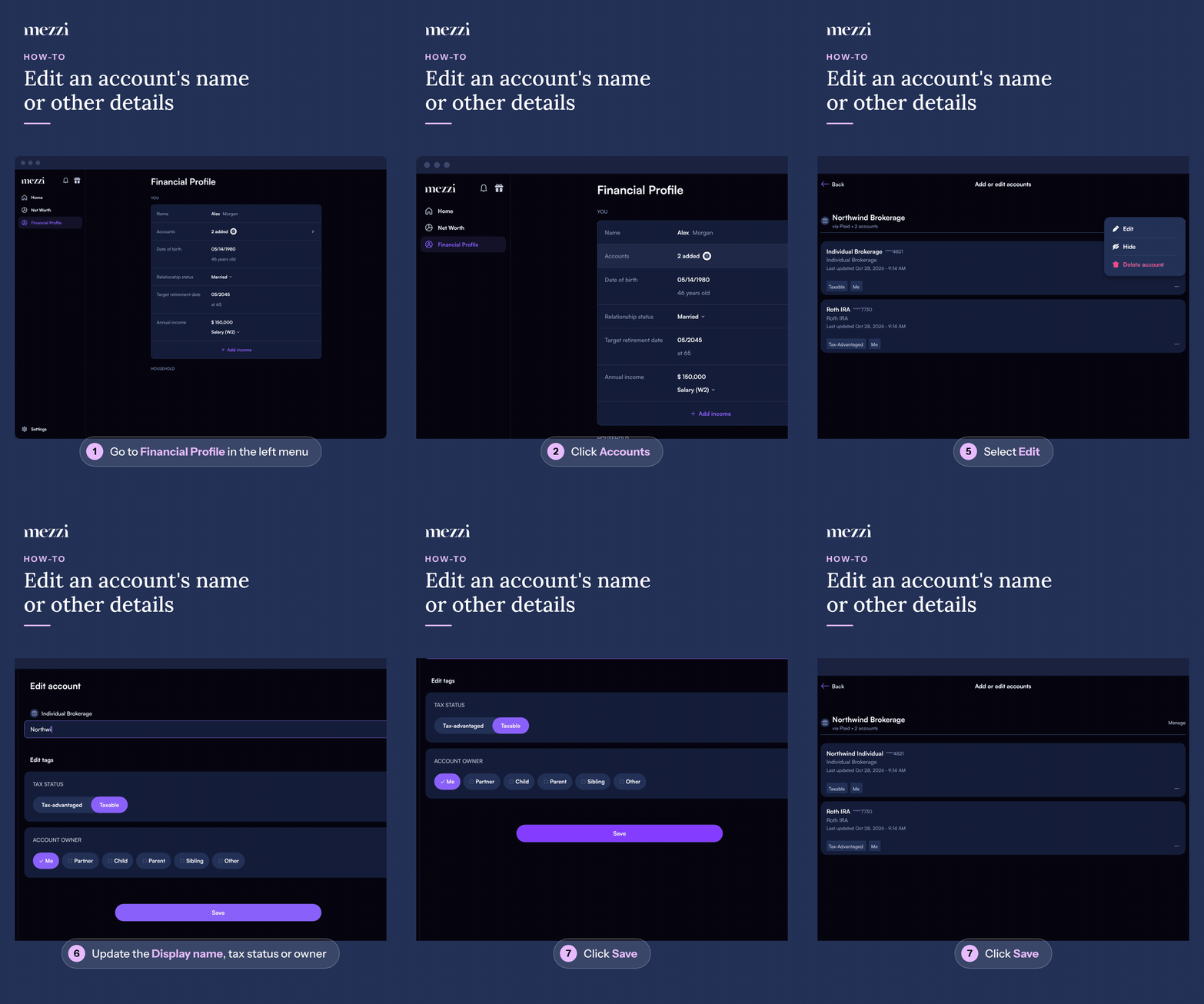
You can rename any account and update other account details, like tax status and account owner, at any time. Go to Financial Profile > Accounts (in the You section) to open Add or edit accounts, open the three dots next to the account, choose Edit, make your changes, and save.
🧭 How to Edit an Account (iOS)
Tap Financial Profile, the last tab in the bottom bar.
Tap Accounts in the You section. This opens Add or edit accounts.
Find the account you want to update.
Tap the three dots (⋯) next to it. A menu slides up from the bottom of the screen.
Select Edit. This opens Edit account.
Update the Display name, or under Edit tags, change the TAX STATUS (Tax-advantaged or Taxable) or ACCOUNT OWNER.
Tap Save.
🧭 How to Edit an Account (web)
Click Financial Profile in the left menu.
Click Accounts in the You section. This opens Add or edit accounts.
Find the account you want to update.
Click the three dots (⋯) next to it. A dropdown menu opens.
Select Edit. This opens Edit account.
Update the Display name, or under Edit tags, change the TAX STATUS (Tax-advantaged or Taxable) or ACCOUNT OWNER.
Click Save.
💡 Why This Matters
Renaming is the fastest fix when Mezzi shows two accounts with the same generic institution name, for example two "Vanguard Brokerage" entries, and you can't tell them apart at a glance. Give each one a name that means something to you, like "Vanguard Brokerage (Joint)" and "Vanguard Brokerage (Roth)."
Other details you can update from the same Edit screen include things like tax status. If you're specifically trying to fix an account's tax status (Tax-advantaged or Taxable), see How to Fix Incorrect Account Tax Status in Mezzi.
Important Notes
A name or tax status is information you control. Changing it doesn't change what your institution reports. Balances and holdings still come from your linked connection (or your manual entries, for manual accounts).
If you want an account out of sight entirely, that's a separate action. See How to Hide and Unhide Accounts in Mezzi. Note that hiding currently isn't available for real estate, vehicles, other assets or liabilities you entered yourself.
🗨 Still Need Help?
Email help@mezzi.com or text/call (415) 763-6997 with the account name and what you're trying to change, and we'll take it from there.