My Institution Shows Up More Than Once in Search. Which One Do I Pick?
Last updated: October 30, 2026
Overview
Pick the listing whose web address matches the site where you sign in to see the account. Many institutions have several listings for different logins, such as personal banking versus business banking, and some unrelated institutions share a similar name. If you choose the wrong one, the connection fails or comes back empty even though your username and password are correct.
📌 What You Need to Know
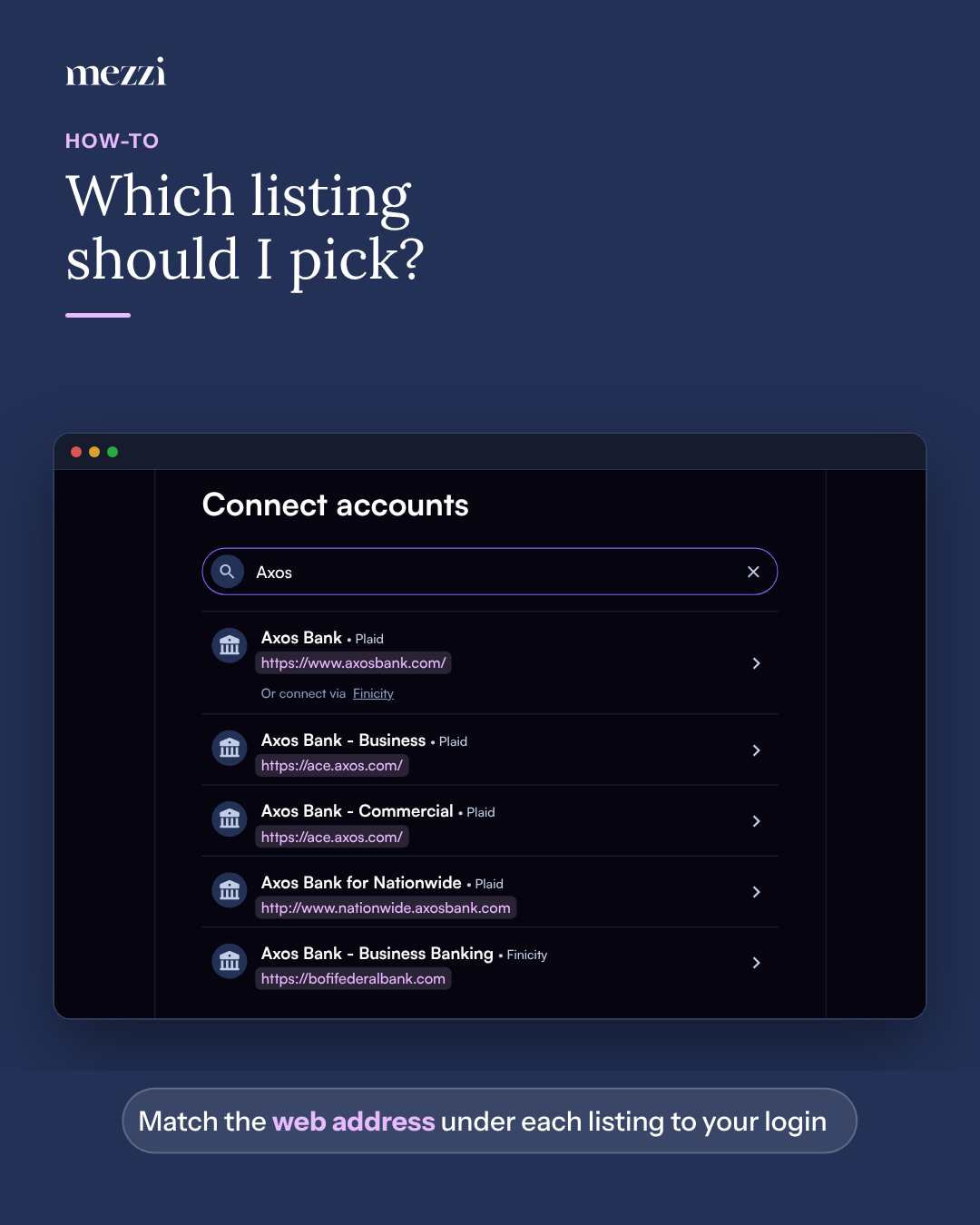
When you search for an institution after Connect new account → Brokerage or bank → Link accounts, each result shows its name, the data aggregator it connects through, and the institution's web address underneath. Match that web address to the one you log in at:
If you sign in at… | Choose… |
|---|---|
axosbank.com (Axos personal checking or savings) | Axos Bank |
Axos business banking | The Axos Bank - Business listing whose web address matches your business login |
fidelity.com (Fidelity brokerage, IRA or cash management) | Fidelity, not one of the Fidelity Bank listings, which are separate banks. See how to connect Fidelity. |
An employer retirement plan site | The plan administrator's listing. See how to connect an employer retirement account. |
Important Notes
If the right listing still won't connect, try the other aggregator: choose the provider shown after Or connect via under that listing. See how to choose a connection option.
If you have accounts under two different logins at the same place, connect each login separately. See how to connect a second login at the same bank or brokerage.
Several failed attempts in a row can lock your login at the institution. Confirm you can sign in on the institution's own website before trying again.
🗨 Still Need Help?
Email help@mezzi.com with the institution's name, the web address you use to sign in, and which listings you've tried.