How to Remove a Duplicate Connection in Mezzi
Last updated: October 30, 2026
Overview
If the same bank or brokerage shows up twice in Add or edit accounts, for example two separate Schwab connections, you can remove the extra copy yourself with Manage > Delete institution. This removes that duplicate connection and every account under it, while the copy you keep stays exactly as it is. If only one account is duplicated inside a single connection, see How to Remove Duplicate Accounts in Mezzi instead.
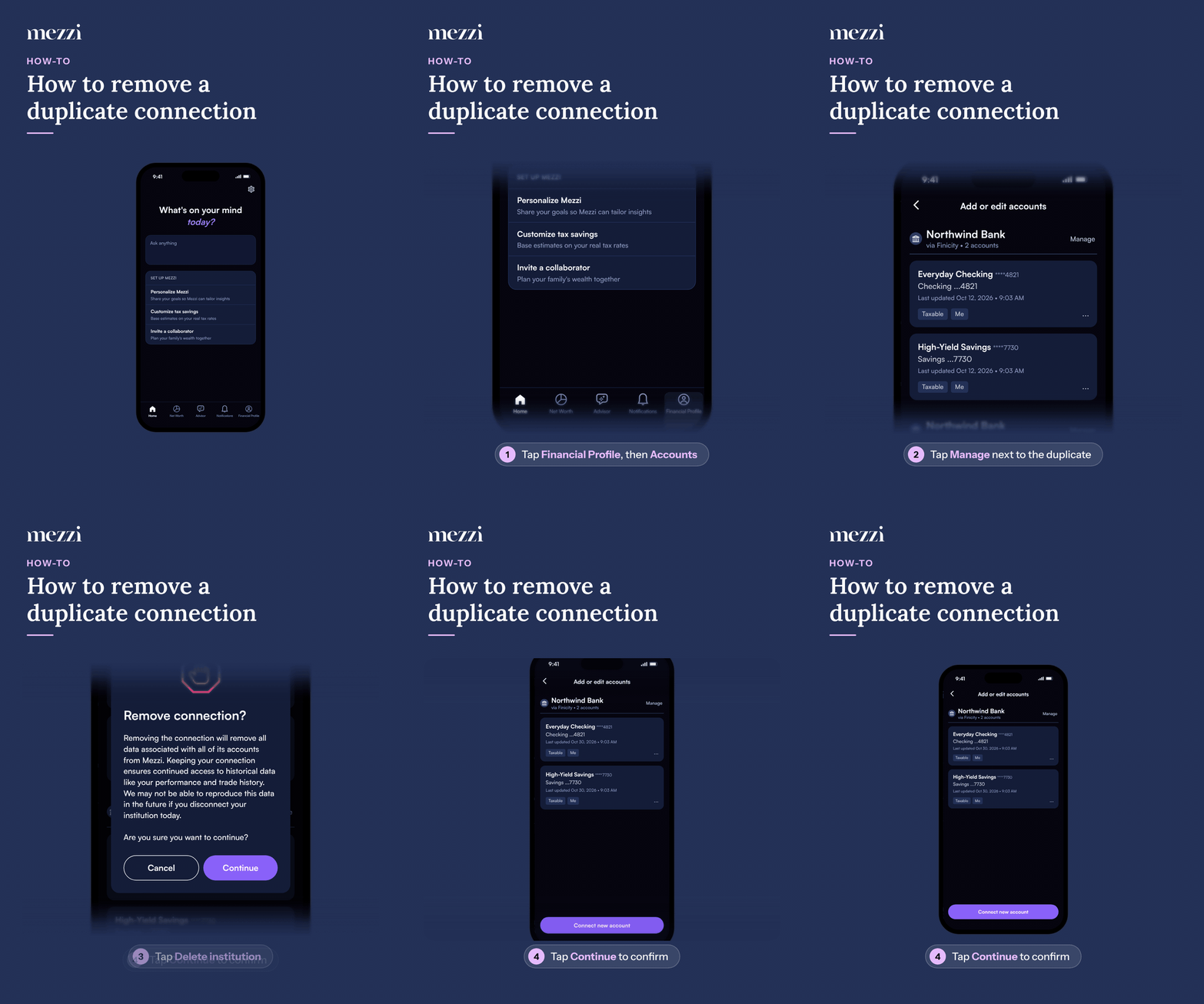
🧭 How to Remove a Duplicate Connection (iOS)
Tap Financial Profile, the last tab in the bottom bar, then tap Accounts in the You section. This opens Add or edit accounts.
Find the duplicate institution you want to remove, the copy you do not want to keep, and tap Manage next to it.
Tap Delete institution.
When Remove connection? appears, tap Continue to confirm.
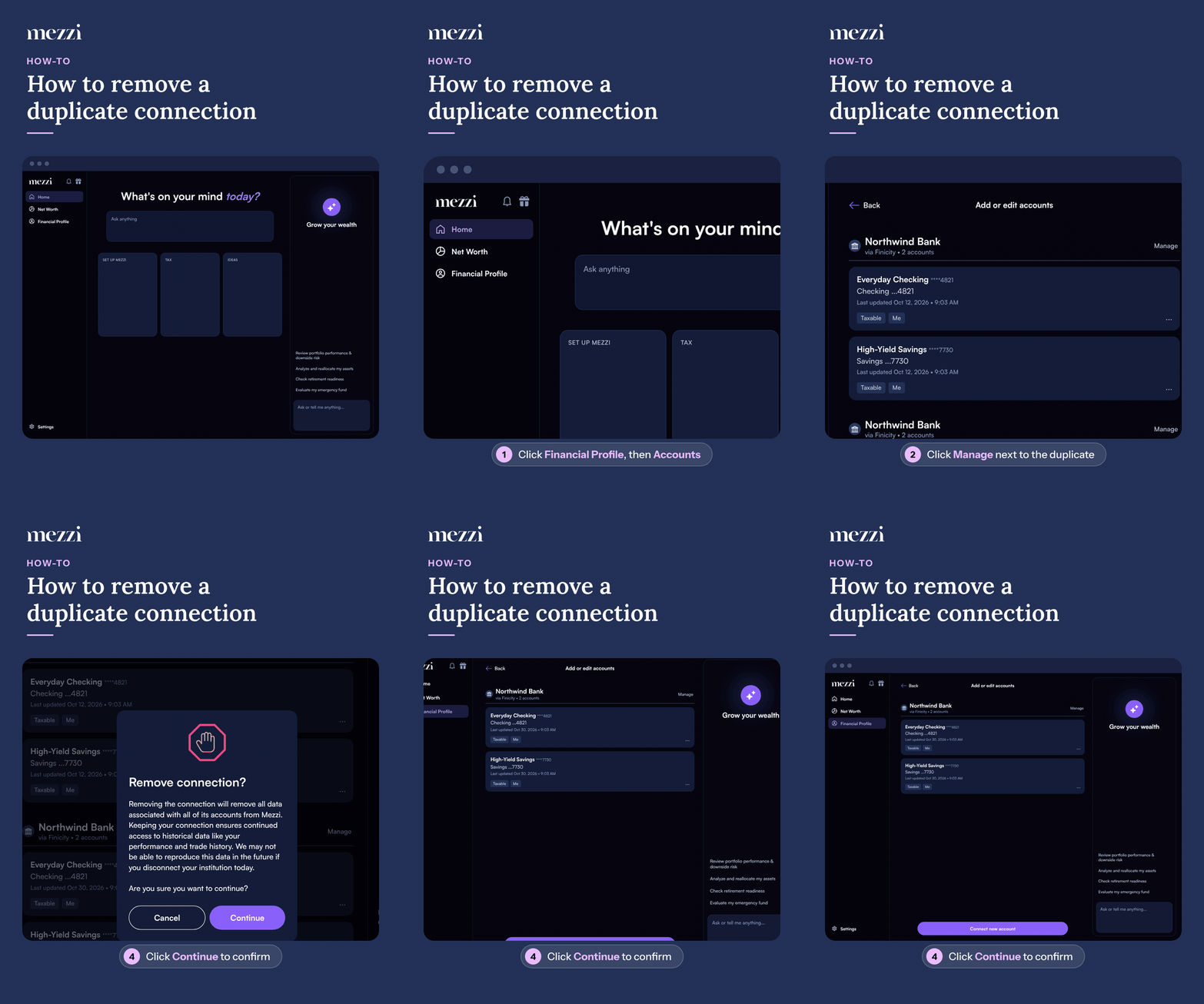
🧭 How to Remove a Duplicate Connection (web)
Click Financial Profile in the left menu, then click Accounts in the You section. This opens Add or edit accounts.
Find the duplicate institution you want to remove, the copy you do not want to keep, and click Manage next to it.
Select Delete institution from the menu.
When Remove connection? appears, click Continue to confirm.
Once you confirm, the duplicate connection and its accounts are removed from Mezzi, along with their data. The connection you kept keeps syncing as before.
If Mezzi detects that you've connected the same institution more than once, you'll also see a tile at the top of Add or edit accounts named after the institution, for example Duplicate Schwab connection. Tap or click it to resolve the duplicate connection.
💡 Why This Happens
A duplicate connection almost always comes from adding an institution again with Connect new account instead of fixing the existing connection. Our data aggregator (for example, Plaid) then creates a second connection, and the same accounts come back as new ones. If the older connection stays active, both copies keep syncing.
To avoid it, reconnect the existing institution when Mezzi asks you to, rather than adding it again.
Important Notes
Check which copy to keep first. Keep the connection that's syncing (the one with a recent Last updated date on its accounts). Deleting a connection also removes the history Mezzi built for its accounts, and that history doesn't come back if you reconnect.
Nothing changes at your bank or brokerage. You're only removing the copy from Mezzi.
🗨 Still Need Help?
If you're not sure which connection to remove, please don't delete anything yet. Email help@mezzi.com or text/call (415) 763-6997 with the institution name and a screenshot of Add or edit accounts, and our support team will tell you which copy is live and help you remove the duplicate safely.