How to Remove Duplicate Accounts in Mezzi
Last updated: October 30, 2026
Overview
If the same account shows up twice under one bank or brokerage, for example two copies of the same IRA inside Schwab, you can remove the extra copy yourself: open Add or edit accounts, tap or click the three dots next to the copy you don't want, and choose Delete account. Only that one account is removed; the connection and your other accounts at that institution keep syncing. If the whole institution shows up twice (two separate Schwab connections), see How to Remove a Duplicate Connection in Mezzi instead.
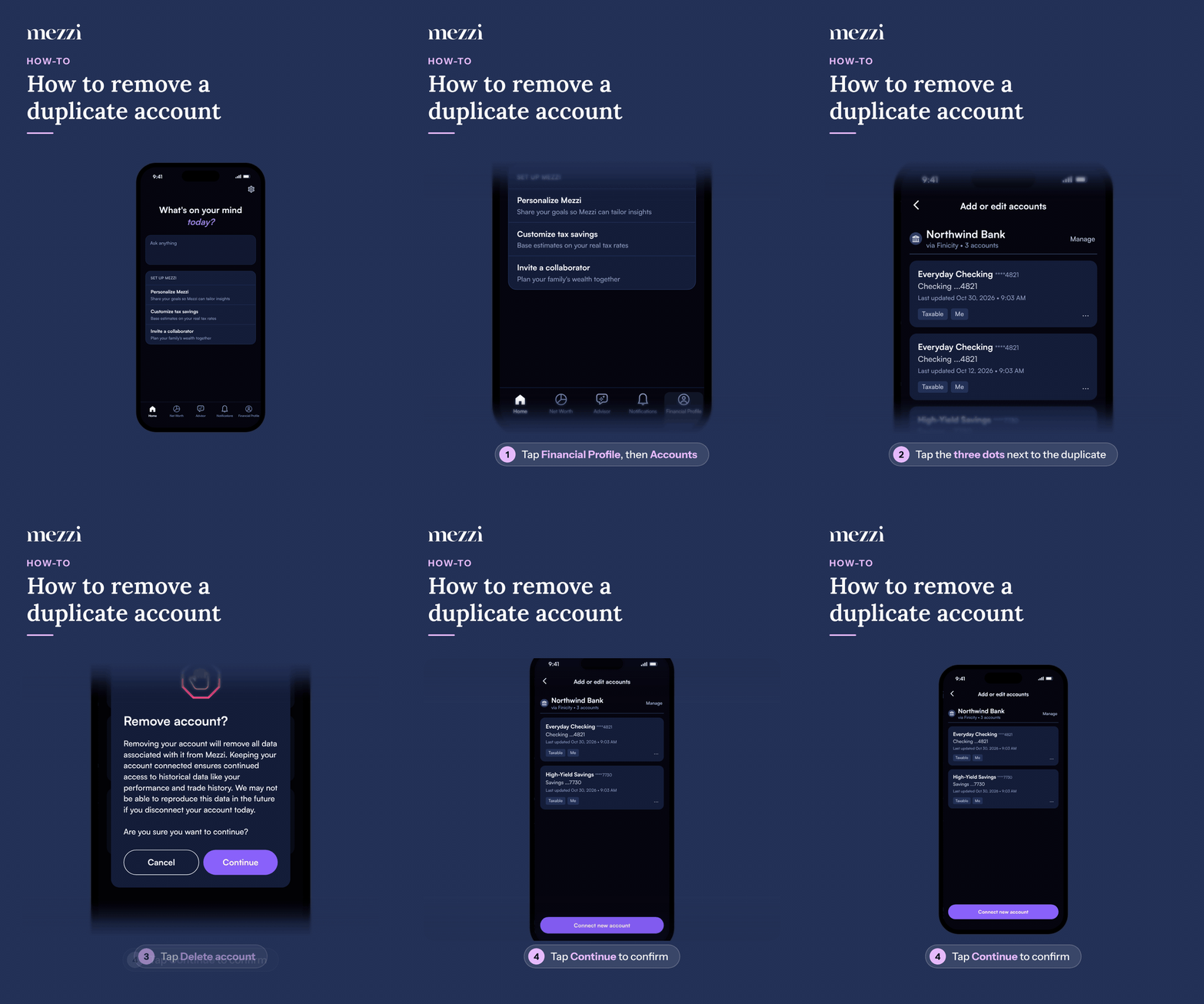
🧭 How to Remove a Duplicate Account (iOS)
Tap Financial Profile, the last tab in the bottom bar, then tap Accounts in the You section. This opens Add or edit accounts.
Find the duplicate account you want to remove, the copy you do not want to keep, and tap the three dots next to it.
Tap Delete account.
When Remove account? appears, tap Continue to confirm.
🧭 How to Remove a Duplicate Account (web)
Click Financial Profile in the left menu, then click Accounts in the You section. This opens Add or edit accounts.
Find the duplicate account you want to remove, the copy you do not want to keep, and click the three dots next to it.
Select Delete account from the menu.
When Remove account? appears, click Continue to confirm.
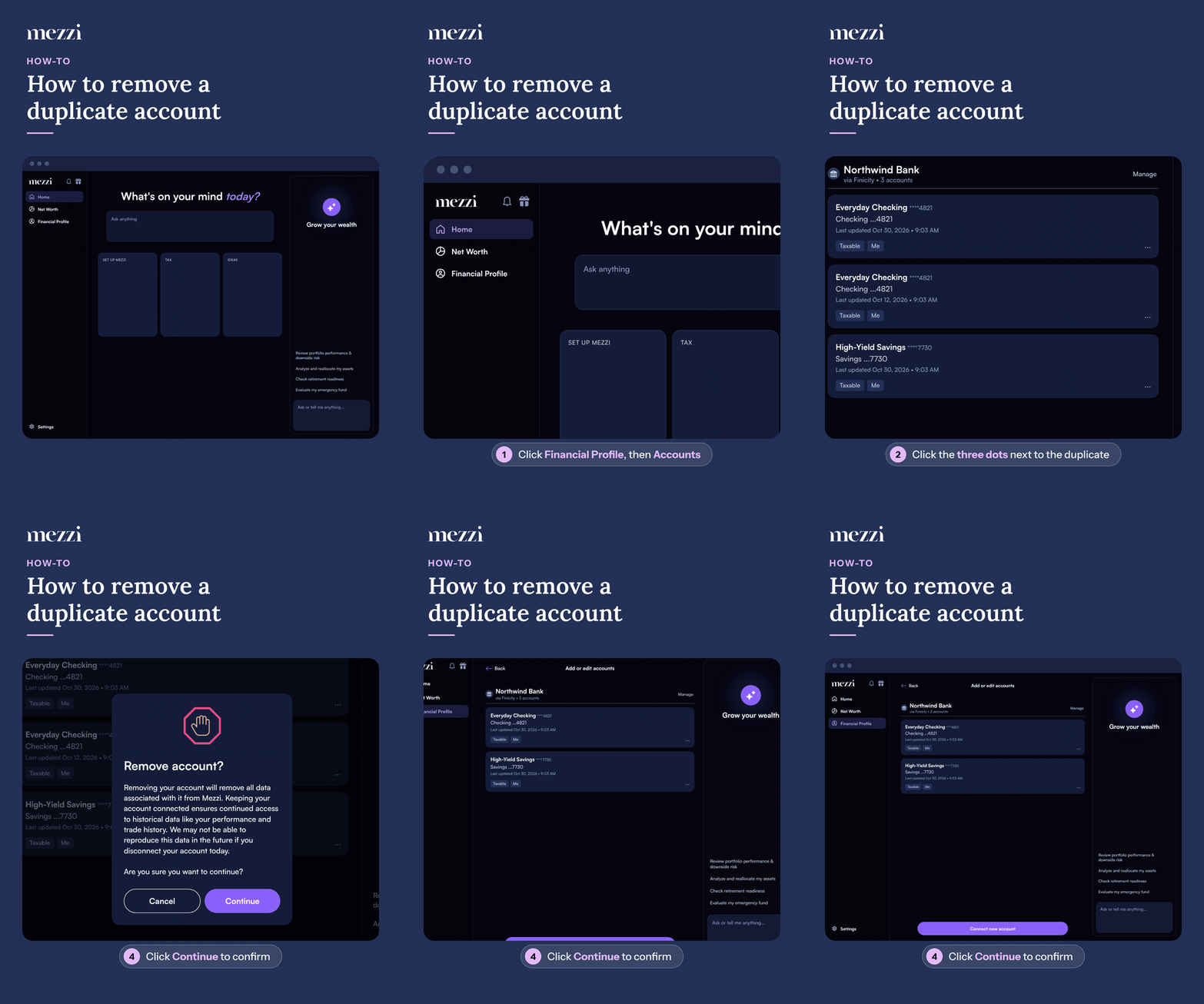
Once you confirm, the duplicate is removed from your accounts list, along with its data in Mezzi. The copy you kept stays as it is.
💡 Why This Happens
Duplicate accounts usually show up after you reconnect or update an institution and the account comes back as a new record instead of updating the existing one. If an account you closed is still showing after the institution stopped reporting it, remove it the same way.
🗨 Still Need Help?
If you are uncertain about which duplicate account to delete, please do not delete any accounts immediately. Email help@mezzi.com or text/call (415) 763-6997, and our support team will help you identify the correct account and safely remove the duplicate.