Why Didn't Mezzi Keep My Document?
Last updated: November 6, 2026
Overview
If Mezzi didn't keep a document, its row in Documents or the line under the file in chat says why. Most often your Documents is full (Free and Advisory keep 5), the PDF is password-protected, or the file couldn't be opened. Advisor still reads a file you attach in chat and answers from it in that conversation; it just isn't kept for later chats.
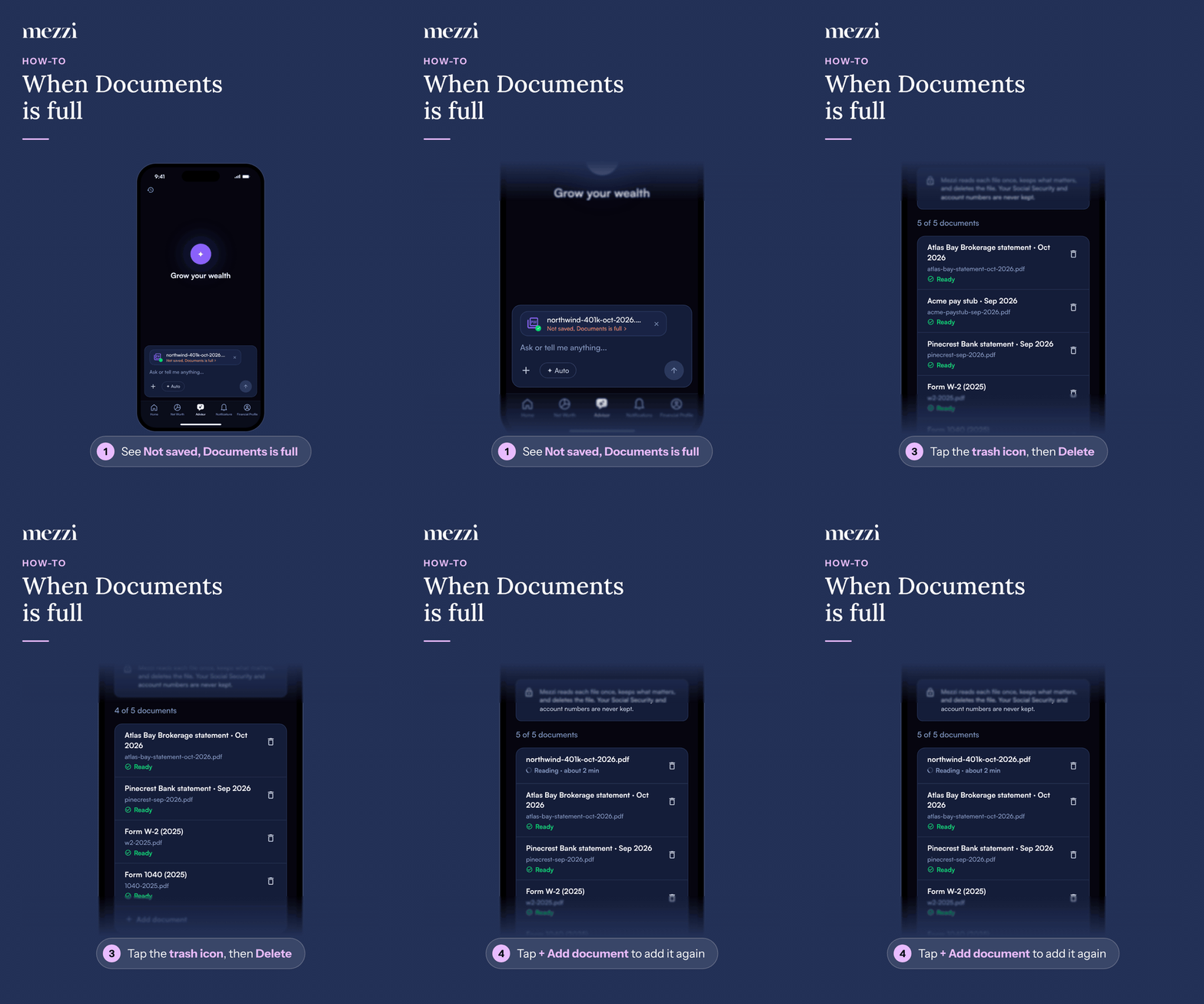
🧭 How to Make Room When Documents Is Full (iOS)
Under the file in chat, tap Not saved, Documents is full.
Documents opens. Find a document you no longer need.
Tap the trash icon next to it, then tap Delete on Delete document?
Tap + Add document and pick the file again.
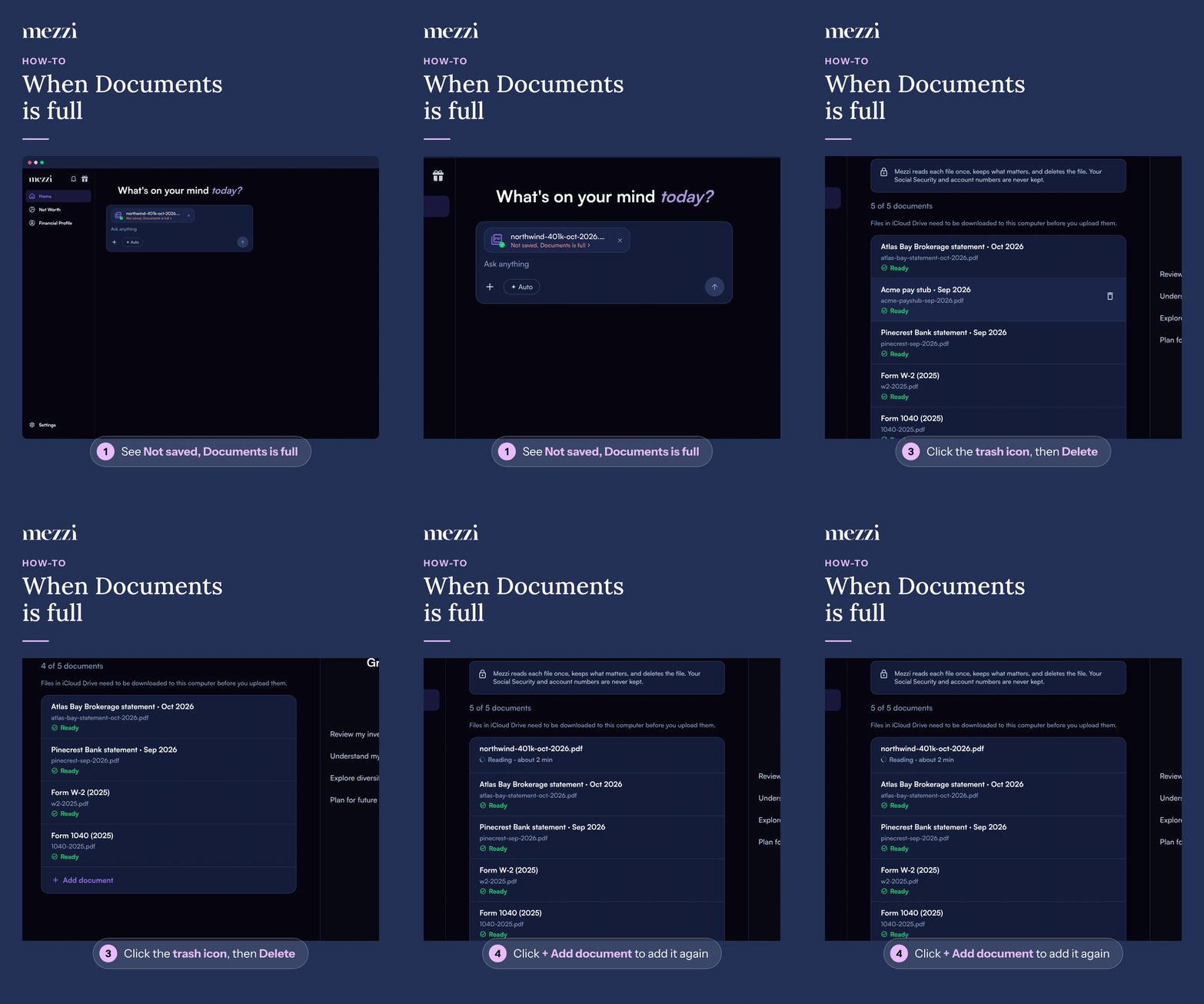
🧭 How to Make Room When Documents Is Full (web)
Under the file in chat, click Not saved, Documents is full.
Documents opens. Find a document you no longer need.
Click the trash icon next to it, then click Delete on Delete document?
Click + Add document and choose the file again.
Or move to Concierge, which keeps as many documents as you like.
📌 What Each Message Means
Not saved, Documents is full (in chat) or Statement not saved, Documents is full (AI document scan): you've reached your plan's limit. Advisor still uses the file in that chat, and AI document scan still creates the account. To keep the file, make room using the steps above, or move to Concierge.
This PDF is password-protected. Remove the password and upload it again. Save an unlocked copy of the PDF and upload that.
Mezzi couldn't open this file. If it's damaged, upload a fresh copy. Download the document again from where you got it and upload the new copy.
Mezzi couldn't finish reading this. Upload it again. Something interrupted the read. Delete it and upload it again.
This file is too large to read. Upload fewer pages, for example just the pages you need.
You already have this one: the same file is already in Documents, so it wasn't added twice.
Upload failed: check your connection and try again.
Files Mezzi couldn't read don't count toward your limit. Their page says nothing was kept and the file was deleted, and they stay listed until you delete them.
Important Notes
Open a document to see its full message. Delete files you no longer need with the trash icon in the list.
For how to add and view documents, see How to Add and Manage Documents in Mezzi.
🗨 Still Need Help?
Email help@mezzi.com with the document's name, the message you see, and whether you're on iPhone or the web.