I Signed In and My Accounts Are Gone. What Happened?
Last updated: October 30, 2026
Overview
Your data is almost certainly still there. If Mezzi looks empty after you sign in, you most likely signed in a different way than when you set up your account, for example with Apple instead of Google, or with a different email. A different sign-in method or email can open a separate, empty Mezzi account. Sign out and sign in exactly the way you did when you first joined.
⚠️ What You May See
No accounts on Net Worth, as if you just joined.
Mezzi asks you to set up or connect accounts again.
A password reset email never arrives, or a verification code isn't sent, for the email you're trying.
A different email than you expected under your name in Settings, such as an address ending in privaterelay.appleid.com.
⚙️ How to Fix It
Sign out. See how to log out of Mezzi.
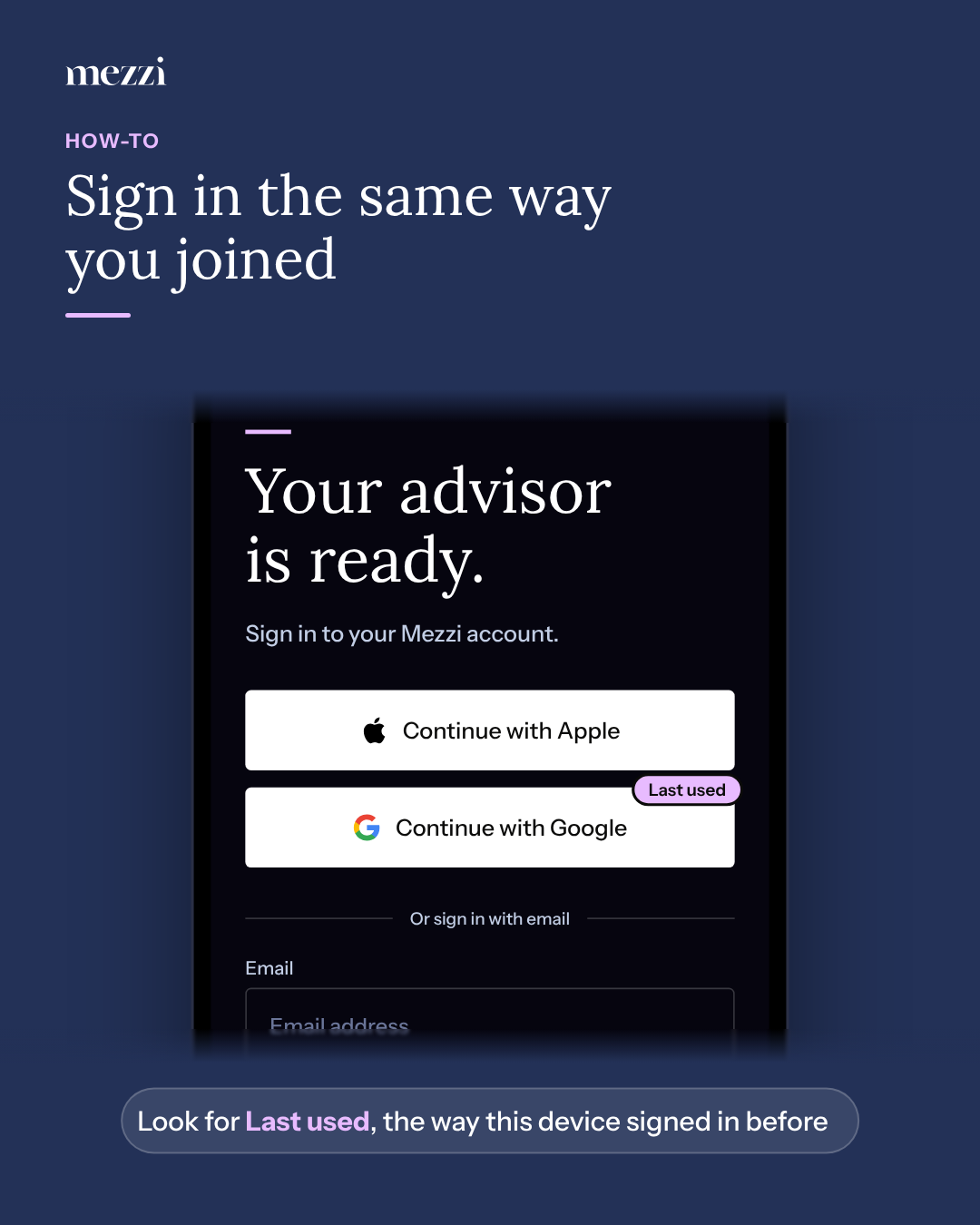
Look for the Last used label. On the sign-in screen, Mezzi marks the option this device signed in with last. If that's the method that just showed you an empty account, try another one.
Try the method you used when you joined. Choose Continue with Google, Continue with Apple, or sign in with your email and password, using the same email as before.
If you used Sign in with Apple and chose Hide My Email, your Mezzi account is under an Apple relay address, not your usual email. Use Continue with Apple again with the same Apple ID.
If you signed up with email and password but forgot it, select Forgot password? and enter that email. See how to reset your password.
💡 Why This Happens
Mezzi finds your account by the sign-in method and email you use. Signing in with Google using one Gmail address and later with Apple, or with a different email, can create a second, empty account instead of opening the first one. Nothing is deleted from your original account.
Important Notes
To use a different sign-in method going forward, see how to switch between Google and Apple sign-in.
If you accidentally created an empty second account, you can leave it alone, or tell us and we'll help you remove it.
🗨 Still Need Help?
Email help@mezzi.com with every email address you might have used, and whether you remember signing up with Google, Apple or email. We'll find your account and tell you how to get back into it.