How to Delete a Manually Added Asset in Mezzi
Last updated: September 23, 2026
Overview
To delete an asset you added manually, such as a property, a private investment, or another holding you entered yourself, please refer to the appropriate section in the app settings. This action removes the asset from Mezzi only and does not affect any data outside the app.
🧭 How to Delete a Manually Added Asset
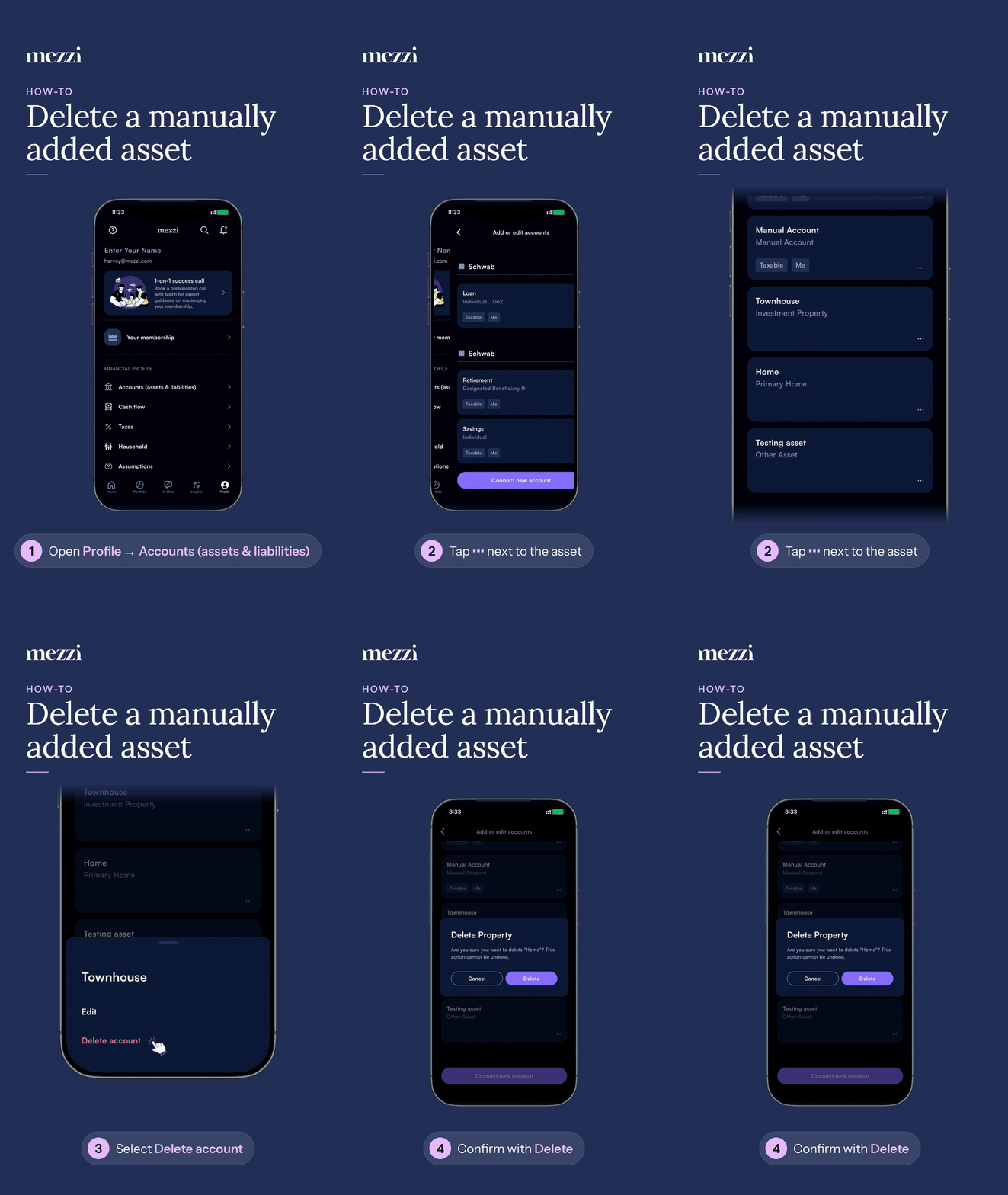
Go to your Profile page.
Select Accounts (Assets & Liabilities).
Find the asset you want to remove.
Tap the three dots (⋮) next to it and choose Delete account.
Confirm the deletion.
If you've added the same asset twice, for example two entries for one property, delete only the one you don't want to keep. Check the value on each entry first so you keep the correct one.
💡 Which Option Is Right for You
The value is wrong but the asset is still yours: don't delete it. Edit it instead, so you keep its record in Mezzi. See How to Track and Update Alternative Assets in Mezzi.
You want it out of view but may want it back later: hide it rather than deleting it. See How to Hide and Unhide Accounts in Mezzi.
You sold it, closed it, or added it by mistake: delete it using the steps above.
It's a connected account, not one you entered yourself: see Removing an Institution vs. Removing a Single Account.
Important Notes
Deleting only affects Mezzi. Nothing is sold, closed, or changed anywhere else.
You can add it again later, but you'd be starting a new entry. See How to Manually Add an Account in Mezzi.
On some iPhones, the confirmation button can end up below the edge of the screen. We're fixing this. If you can't reach the button, email us and we'll remove the asset for you.
🗨 Still Need Help?
Email help@mezzi.com with the name of the asset you want removed. If you have duplicates, include a screenshot of both entries and tell us which one to keep.